Snowflake CRM Record Matching & Lead Matchback

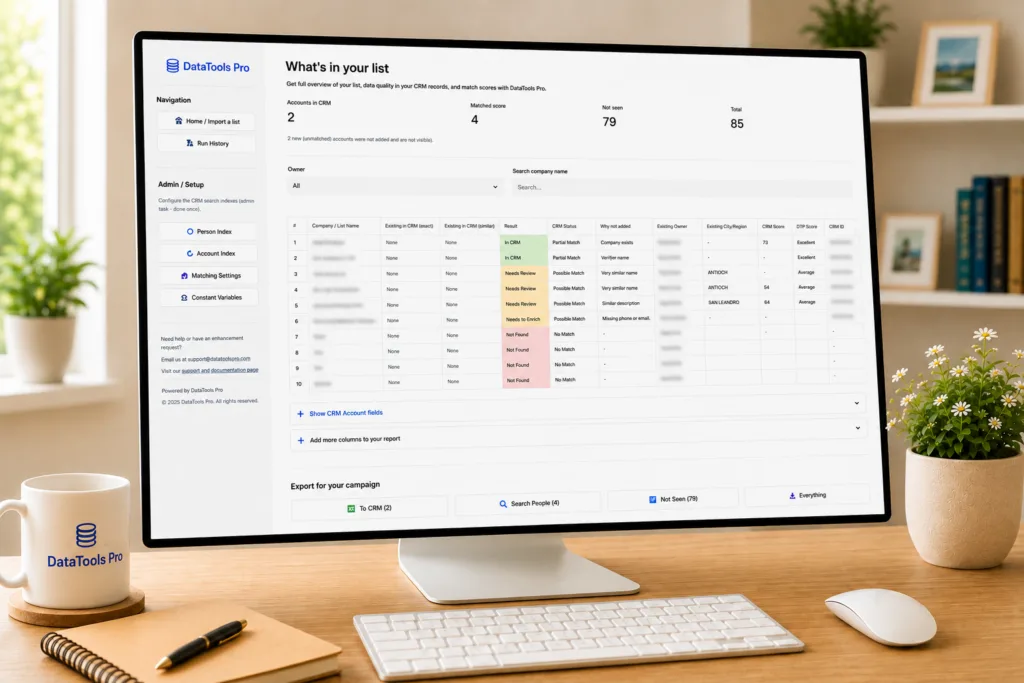
Monitor on a wooden desk shows a DataTools Pro CRM list overview titled 'What’s in your list' with a sidebar navigation.

Your new marketing list has tens of thousands of leads. How many of them are already in your CRM? We build a Snowflake native CRM Record Matching tool to solve accuracy, speed, and fidelity.

If your answer involves exporting CSVs, running VLOOKUPs in Excel, and praying nothing breaks – you’re not alone. And you’re leaving money on the table.

We built our DataTools Pro Snowflake app to remove painfully slow CRM record matching and identity reconciliation workflows forever. It’s a Snowflake native app that cleans, deduplicates, and matches your prospect lists against your CRM data, like Salesforce, without data ever leaving Snowflake.

Here’s the story of why we built it, what it solves, and how it works.

The Problem Nobody Wants to Talk About

Every B2B sales and marketing team runs into the same wall:

You buy a list. You run a campaign. You get leads. Then someone asks: “How many of these are already in Salesforce?”

What follows is a painful, error-prone, multi-hour ritual:

  1. Export your list to CSV
  2. Export Leads from Salesforce. Export Contacts from Salesforce. Export Accounts from Salesforce.
  3. Open Excel. Start matching. First by email. Then by name. Then by company.
  4. Manually tag each row: “Existing Lead,” “Existing Contact,” “Net New.”
  5. Add campaign columns. Add lead source. Add attribution tags.
  6. Pray you didn’t accidentally assign someone else’s lead.
  7. Import back into Salesforce via Data Loader.
  8. Repeat next week.

This process is broken in at least five ways:

  • It’s slow. A 50K-row list can eat an entire day.
  • It’s inaccurate. “John Smith” at “Acme Inc” and “Jon Smith” at “Acme Incorporated” are the same person – but VLOOKUP doesn’t know that.
  • It’s insecure. You’re exporting CRM data to laptops, emailing spreadsheets, storing PII in shared drives.
  • It’s not repeatable. Every analyst does it differently. No audit trail. No consistency.
  • It doesn’t scale. What works for 500 rows collapses at 50,000.

The real cost isn’t the analyst’s time. It’s the revenue you lose when net-new prospects get ignored because they were falsely tagged as “already in CRM” – or when existing customers get cold-called because the match was missed.

What we built

DataTools Pro is a Snowflake Native Application that handles the entire pipeline:

Upload → Clean → Deduplicate → Match → Enrich → Export

All inside Snowflake. No data extraction. No external tools. No Excel.

It matches your prospect lists against Salesforce Leads, Contacts, and Accounts using AI-powered fuzzy matching — then gives you campaign-ready export files you can drop straight into Salesforce.

Feature 1: Data Cleaning That Actually Works

Before you can match anything, you need clean data. And “clean” in CRM data means handling problems like:

Raw InputProblemCleaned Output
john.smith@acme.com, j.smith@personal.comMultiple emails in one cellSplit into 2 separate records
(555) 123-4567Inconsistent phone format5551234567
John smithExtra whitespace, mixed caseJOHN SMITH
5453Truncated zip code05453
Ryan O'BrienSpecial charactersHandled gracefully

DataTools Pro normalizes everything automatically:

  • Smart column detection — AI-powered mapping that reads your column headers and sample data to figure out which field is which. No manual mapping needed for standard fields.
  • Email normalization — splits multi-value email cells into separate records so no match is missed
  • Phone standardization — strips formatting so (555) 123-4567 matches 555.123.4567
  • Deduplication — removes exact duplicates on the fields you choose before matching begins
  • Encoding detection — handles UTF-8, Latin-1, CP1252, and other encodings without you ever noticing

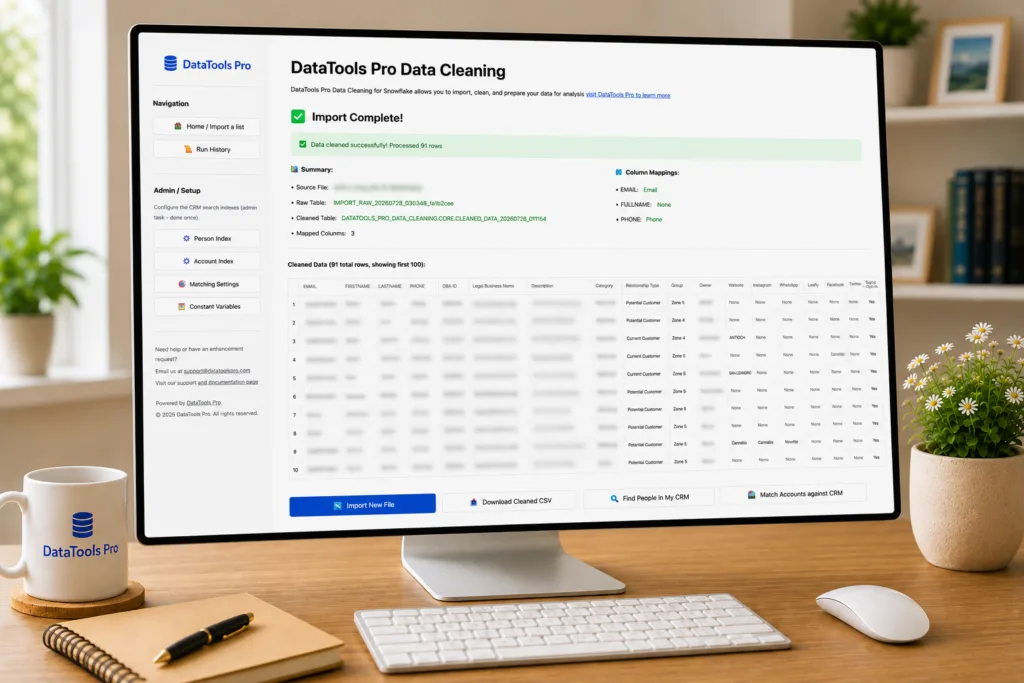
Import Complete
Feature 2: Account Matchback – Match Companies, Not Just People

Sometimes you don’t have individual contacts. You have a list of company names and you need to know which ones are already Salesforce Accounts.

Company name matching is notoriously hard:

Your ListSalesforce AccountSame company?
Acme IncAcme, IncorporatedYes
JP Morgan ChaseJPMorgan Chase & Co.Yes
Smith & Sons LLCSmith and SonsYes
ABC Corp (DBA: Alpha Business)Alpha Business ConsultingMaybe

DataTools Pro handles this with a lexical-first matching strategy:

  1. Company name cleaning – strips legal suffixes (LLC, Inc, Corp, Ltd), removes parenthetical DBA text, normalizes punctuation
  2. AI-powered candidate search – Snowflake Cortex finds semantically similar company names, not just exact matches
  3. JaroWinkler scoring – precise string similarity that rewards matching prefixes (ideal for company names where “Acme” vs “Acme Inc” should score high)
  4. DBA / Legal name support – matches against both primary name and “Doing Business As” names
  5. State-aware matching – if both records have state data and the states differ, it’s flagged as a different business (prevents matching “Smith Plumbing” in Texas with “Smith Plumbing” in Oregon)

Tunable Thresholds

Every business has different tolerance for false positives vs. false negatives. The admin page lets you tune the matching thresholds:

  • High confidence threshold (default: 93) – above this JaroWinkler score, it’s confidently “In CRM”
  • Review threshold (default: 86) – above this, it needs human review
  • Text match boost – if Cortex AI confidence is also high, a “Review” can be promoted to “In CRM”

Feature 3: Person Matchback – Find People in Your CRM

This is the core. You have a list of people. You need to know: who’s already a Lead or Contact in Salesforce, and who’s truly net-new?

How It Works

  1. One-time setup: An admin points the app at your Salesforce Lead table, Contact table, and Account table in Snowflake. The app builds a search index using Snowflake Cortex Search Service.
  2. Run a match: Upload your list (or point to an existing Snowflake table), click “Find Matches.” The app does the rest.
  3. Review results: Every row gets a confidence band:
StatusWhat It Means
AUTO_MATCHHigh confidence. Email match + name match, or phone match + name match. Safe to process automatically.
REVIEWProbable match but needs human eyes. Email matched but name didn’t, or fuzzy name match without a hard identifier.
NO_MATCHNot found in CRM. This is a net-new prospect.

The Matching Intelligence

This isn’t simple email lookup. The matching engine combines multiple signals:

  • Email match – exact match, case-insensitive
  • Phone match – normalized digits, requires 7+ digits to avoid false positives
  • Domain match – extracts domain from email, matches against CRM email domains
  • Name similarity – Levenshtein distance normalized by name length. “Jon” matches “John” at 75% similarity. “Jonathan” matches “Jon” at lower confidence.
  • Company similarity – same fuzzy logic applied to company names

These signals are layered. An email match with a strong name match is AUTO_MATCH. An email match with a completely different name is REVIEW (could be a shared inbox or forwarded email). A name match alone with moderate company similarity is REVIEW.

The result: fewer false positives, fewer missed matches, and a clear audit trail of why each decision was made.

Feature 4: Customer & Opportunity Context

Knowing a company is “in Salesforce” is step one. The real question is: are they already a customer? Do they have open opportunities?

DataTools Pro integrates with your Opportunity data to answer both:

  • Customer flag: Is this account marked as a Customer (by account type field or by having a Won opportunity)?
  • Open opportunities: Does this account have deals in the pipeline right now?
  • Per-account drill-down: Click into any matched account to see all its opportunities — stage, amount, close date, won/lost status.

This turns a simple “already in CRM” check into actionable intelligence. Your sales team instantly knows:

  • “Don’t cold-call these 200 companies — they’re current customers”
  • “These 50 companies have open deals — coordinate with the account owner before marketing to them”
  • “These 300 companies are truly net-new — prioritize outreach”

Feature 5: Append CRM Fields – Enrich Without Rebuilding

After matching, you often need additional CRM data on your results: Industry, Annual Revenue, Lead Source, Owner Name, Phone, Website.

The traditional approach would be to add these fields to the search index. That means:

  • Rebuilding the index (time + compute cost)
  • Heavier index = higher ongoing Cortex costs
  • Need to rebuild every time you want a different set of fields

Our approach: enrich at results time, not index time.

When you click “Append CRM Account Fields,” the app performs a live LEFT JOIN against your source tables using the matched record ID. You pick exactly the columns you want, and they’re added to your results instantly. No index rebuild. No extra Cortex cost.

Owner Name resolution is built in. Select OwnerId from the field list, point the app at your Salesforce User table, and it resolves the raw Salesforce ID to a human-readable name via a second LEFT JOIN.

For Person Matchback, the same feature works across both Lead and Contact tables — the app automatically routes each row’s JOIN to the correct source table based on whether the match was a Lead or Contact.


Feature 6: Constant Variables – No More Manual Column Pasting

Here’s a workflow that every marketing ops person knows too well:

  1. Download matchback results as CSV
  2. Open in Excel
  3. Add a column: “Campaign Name” → paste “Q3 2026 ABM Outreach” in every row
  4. Add another column: “Lead Source” → paste “Purchased List” in every row
  5. Add another: “Import Date” → paste today’s date in every row
  6. Save. Upload to Salesforce.

DataTools Pro replaces this with a point-and-click interface. An admin defines a catalog of constant variables (Campaign Name, Lead Source, Import Batch ID, etc.), and end users fill in the values directly on the results page. One click, and every row gets the columns attached.

No Excel. No copy-paste errors. No forgotten columns.

Feature 7: Campaign-Ready Exports

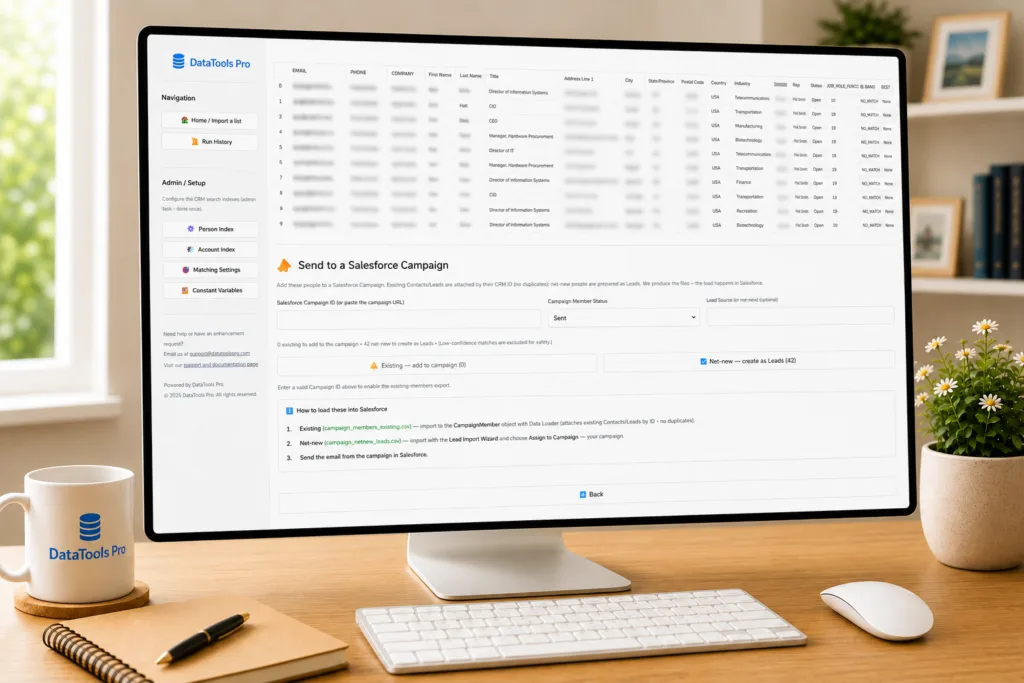
The final output isn’t just a spreadsheet. DataTools Pro generates Salesforce-ready import files:

For Existing Matches (Campaign Members):

A CSV with CampaignIdContactIdLeadId, and Status — ready to drop into Salesforce Data Loader and attach to a Campaign. The app handles the Lead vs. Contact routing automatically.

For Net-New Prospects (New Leads):

A CSV with FirstNameLastNameCompanyEmailPhone, address fields, and LeadSource — ready for the Salesforce Lead Import Wizard with campaign assignment.

You enter your Campaign ID (or paste the full Salesforce Lightning URL), choose a Campaign Member Status, and download both files. Done.
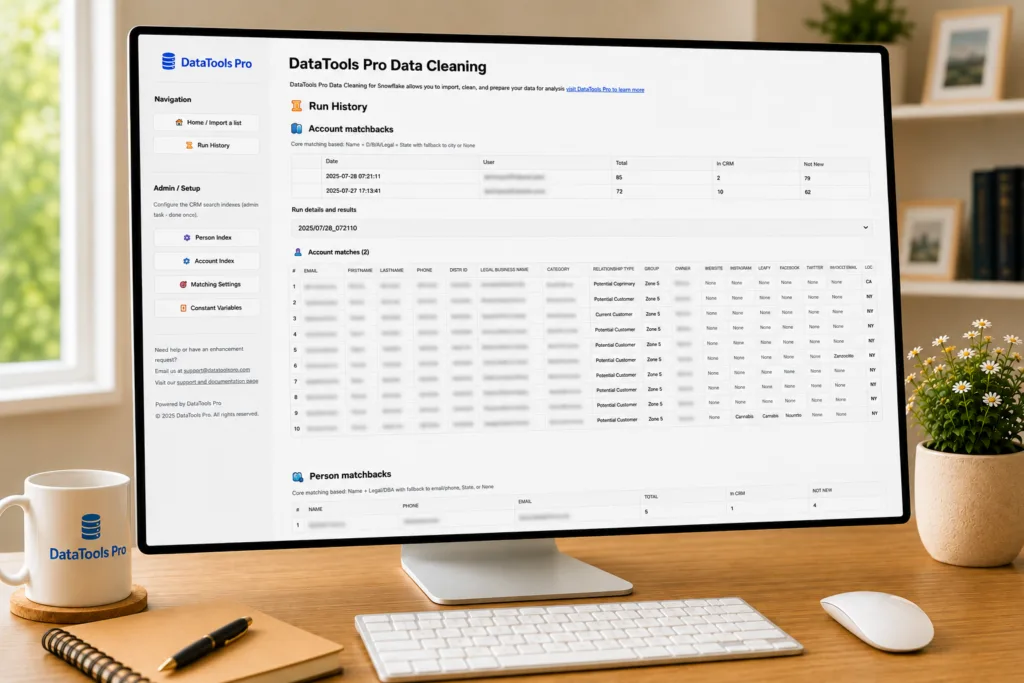
Feature 8: Run History & Audit Trail

Every matchback run is logged and snapshotted. You can:

  • Review past runs – see when each analysis was run, how many matches were found, how many were net-new
  • Re-open historical results – load any past run’s full results, including appended CRM fields and constant variables
  • Download historical exports – regenerate CSVs from any past run
  • Compare over time – track how your match rates change across campaigns

Each snapshot is immutable. What you saw on Tuesday is exactly what you’ll see when you re-open that run on Friday – even if the underlying CRM data has changed.
Why Snowflake Native?

We could have built this as a standalone SaaS app. Here’s why we didn’t:

Your data never leaves Snowflake

No extraction. No API calls to external services. No data sitting on vendor servers. Your Salesforce data stays in your Snowflake account, and the app runs as a first-party application inside your environment.

You control the compute

The app uses your warehouse. You decide the size. You see the cost. There’s no hidden compute bill from a vendor running queries on your behalf.

Zero infrastructure to manage

No servers. No containers. No Kubernetes. Install the app from the Snowflake Marketplace, grant it access to your tables, and you’re running.

It scales with your data

50 rows or 5 million rows – the same app, the same workflow. Snowflake handles the compute scaling.

Security and governance built in

Snowflake’s role-based access control, network policies, and audit logging all apply. The app can only see what you grant it access to.


The Architecture (For the Technical Folks)
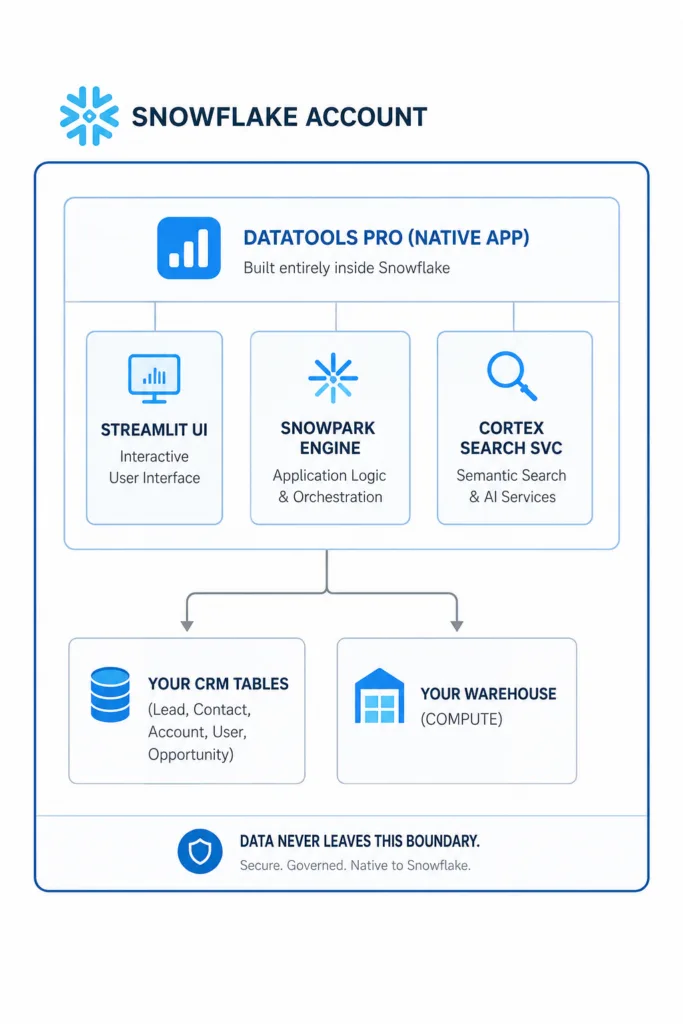
Key technical decisions:

  • Cortex Search Service for candidate retrieval – semantic search that finds “Acme Inc” when you search for “Acme Incorporated”
  • Results-time JOIN for field enrichment – no index bloat, no rebuild cost
  • JaroWinkler + Levenshtein for string similarity – the right algorithms for name and company matching
  • Case-insensitive column resolution via INFORMATION_SCHEMA.COLUMNS – works regardless of how your Salesforce sync tool cases column names
  • Immutable run snapshots – point-in-time results that don’t change when CRM data changes

Who Is This For?

Marketing Operations teams who:

  • Run ABM campaigns and need to segment lists into “existing” vs. “net-new”
  • Import purchased lists and need to check against CRM before creating duplicates
  • Attach campaign attribution to matched records

Sales Operations teams who:

  • Need to identify which target accounts are already in the pipeline
  • Want to enrich prospect lists with CRM data (owner, industry, revenue) before routing
  • Need to flag current customers before outbound campaigns touch them

Revenue Operations teams who:

  • Need a repeatable, auditable process for list matching
  • Want to eliminate the spreadsheet-based matching workflow
  • Need to track match rates over time across campaigns

Data Teams who:

  • Want to keep PII inside Snowflake’s security boundary
  • Need a self-service tool that business users can run without SQL knowledge
  • Want to reduce the number of “can you match this list for me?” requests

What Our Users See After Switching

Before (Manual Process)After (DataTools Pro)
4-6 hours per list matchUnder 10 minutes
VLOOKUP = exact match onlyFuzzy matching catches “Jon” = “John”
No audit trailEvery run logged and snapshotted
Data exported to laptopsData stays in Snowflake
Manual campaign column entry in ExcelPoint-and-click constant variables
Inconsistent process across analystsSame tool, same logic, every time
No opportunity contextCustomer flags + pipeline visibility
One-off work productReusable, repeatable, historical

Next Generation Solution as a Service

We have learned that every org has their own unique marketing process, data challenges, and matchback needs. That is why we offer our DataTools matching solution as a bundled technology-services offering. When we deploy, I lead solution engineering and our customers benefit of having the last 10% of their data machback needs built. If you are interested, feel free to contact the DataTools Pro team and setup a meeting

Getting Started with Snowflake CoCo (Cortex Copilot)

Snowflake CoCo

Snowflake has been evolving quickly over the least year with it’s Cortex AI offering. Snowflake CoCo is Cortex Copilot. It’s one of the clearest examples of Snowflake embracing a modern co-pilot approach that works incredibly well. They embraced several functions that I cover in my anatomy of a modern copilot article.

Instead of exporting data into external AI tools or building complicated integrations, you can now interact with your Snowflake data using natural language. The AI assistant lives directly inside the platform and works against the data already stored in your warehouse.

Snowflake CoCo

What Cortex Copilot Actually Does

At its core, Cortex Copilot provides a natural language interface to Snowflake. The formal Snowflake CoCo documentation covers what is supported, and I admit I haven’t read it! I jump in, ask logical questions for real production problems and I get correct answers 90%+ of the time.

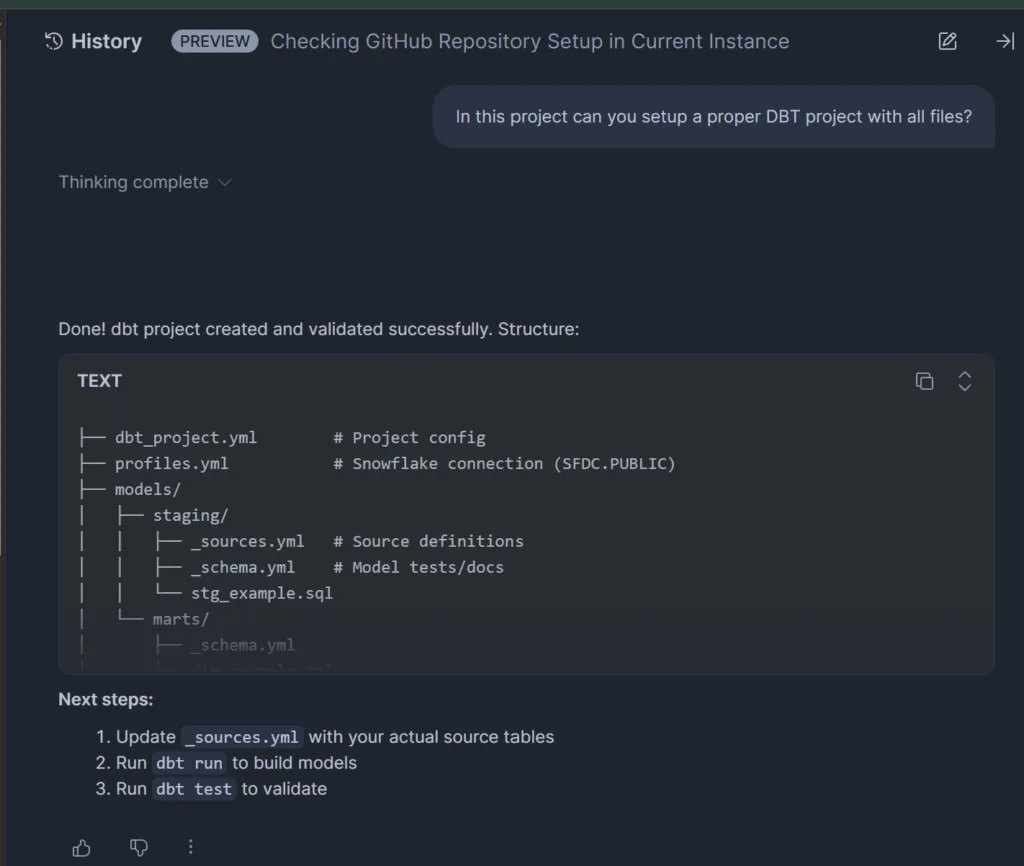
Off the top of my head, here are the tasks I have successfully tested CoCo that felt frictionless.

  • Validating queries multiple versions of queries
  • Setting up a new DBT project
  • Migrating views and materialized views to DBT models
  • Troubleshooting broken SQL
  • Granting permissions and RBS auditing tasks
  • Reviewing and troubleshooting YML for semantic models
  • Advanced searching based on table / view structure
  • Text to SQL
  • SQL diff comparison
  • Validating results between queries

Why This Matters for Data Teams

Most companies have invested heavily in building modern data stacks. Data warehouses, pipelines, and analytics tools are already in place. The pace of innovation from Snowflake has moved at a rate that is impossible to keep up with. Cortex provides a level playing field where new features, documentation, and best practices for using Snowflake, DBT, and other integrations has been packaged up as skills by the Snowflake team.

AI Where the Data Already Lives

One of the biggest advantages of Snowflake Cortex Copilot is aware of schema , semantic models, administrative functions and more. As modern co-pilot it enforces role based permissions and access policies. That has has been a breath of fresh air as I invite more information workers into Snowflake Workspaces. That was something that I never would have imagined starting 2026!.

How to Enable Snowflake Cortex in Snowflake

Getting started with Cortex requires only a couple of account level configuration changes.

First, enable the Cortex analyst functionality.

ALTER ACCOUNT SET ENABLE_CORTEX_ANALYST = TRUE;

Next, allow access to the models that power the Cortex features.

ALTER ACCOUNT SET CORTEX_ENABLED_CROSS_REGION = 'ANY_REGION';

Some organizations prefer to restrict model access to a specific region. In that case the configuration can be set more narrowly.

ALTER ACCOUNT SET CORTEX_ENABLED_CROSS_REGION = 'AWS_US';

Once these settings are enabled, Cortex capabilities become available within the Snowflake platform.

Final Thoughts on Snowflake CoCo

Cortex Copilot represents a meaningful shift in how we can interact with Snowflake.

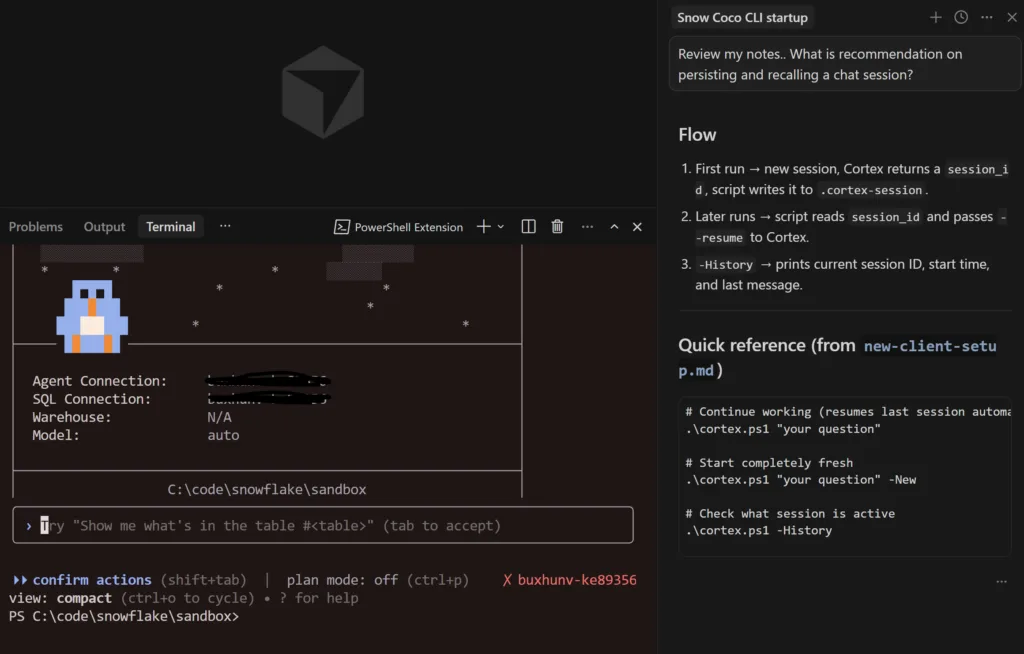
I have already wired up Snowflake Cortex Copilot CLI to work inside of Cursor. It’s not as fast, but the additional layer of planning, orchestration and micro-knowledge loops has transformed the way I work. I don’t use Claude Code, but I am sure it works the same there. If you want my template, feel free to contact me directly.

The barrier to entry to work with data is the lowest it has ever been with Snowflake CoCo! Happy coding.

Anatomy of a Modern AI Co-Pilot

Modern Co Pilot

What Actually Matters After Using AI for Production Productivity

Over the past year I have continued to find new peaks in productivity as a DataTools Pro. In this article, I break down some of the biggest unlocks I have experienced watching leaders build hyper growth businesses on the backs of well designed AI experiences. The common thread where I find the greatest productivity and rapid adoption is a well designed AI co-pilot… Work that requires human accountability, typically requires a human in the loop. Here are the tools I am using every day giving me move 2-5x faster than 2023.

  • Snowflake dev environments (Cortex Code) –
  • Repo-driven IDE workflows (Cursor)
  • Micro-Apps and prototyping (Lovable)
  • Product and Web Analytics (PostHog AI)
  • GPT / Claude chat interfaces
  • Video editing (Descript)

Breaking Down Features for Peak AI Co-Pilot Productivity

After dozens of experiments across tools I have attempted to apply lessons learned into our DataTools Pro, where we manage strategy, business semantics and metrics. Here is a framework that actually matters as I evaluate my own startups and what I adopt.


1. Multi-Turn Conversation

What it is

The ability to maintain context across iterative back-and-forth reasoning inside a session. It simulates short term cognitive continuity.

Without multi-turn, every request is stateless. With it, the AI remembers prior questions, assumptions, and constraints.

Why it matters

Real engineering work is iterative. You ask a broad question, narrow scope, introduce tradeoffs, refine logic. Multi-turn prevents constant context resets.

Example in action

  • GPT / Claude: You brainstorm architecture, refine it over 10–15 exchanges.
  • Cortex Code: You explore warehouse credit usage, then drill down into specific roles without re-briefing the account context.
  • Cursor: You modify a function, then adjust related files in follow-ups.
  • Lovable: You scaffold an app, then iteratively adjust schema and UI.
  • PostHog AI: You analyze funnel drop-offs, then pivot into retention metrics.

Multi-turn is table stakes now. But it only gives session continuity. It does not create long-term intelligence.


2. Context-Aware Reasoning

What it is

The model reasons against your environment, grounded on what you are specifically working on instead of abstract patterns based solely on the interaction itself.

  • Repository / code awareness
  • Metadata awareness
  • Change and usage logs
  • Visual awareness (screen grabs and computer vision).
  • App state (what you are doing in present moment or history).

Why it matters

This is the difference between “plausible” and “correct.”

Examples

  • Cortex Code: You ask, “Which warehouses consumed the most credits?” It generates SQL grounded in your actual Snowflake metadata.
  • Cursor: It refactors across your actual repo instead of hallucinating file names.
  • Lovable: It understands the state of the generated app and adjusts components coherently.
  • PostHog AI: It queries real event data to answer product questions.
  • GPT / Claude (standalone): Context awareness is limited to what you paste in manually.

Grounded context dramatically increases reliability and reduces hallucination.


3. Self-Reflection & Iterative Reasoning

What it is

The system critiques or refines its own output instead of stopping at first completion. This is effectively a quality control layer.

Why it matters

Speed without reflection creates brittle systems. Reflection increases decision quality.

Where we’ve seen this

  • PostHog AI: Agent loops evaluate output and adjust before finalizing analysis.
  • Cursor (partial): When prompted explicitly, it can compare approaches and refactor more carefully.
  • GPT / Claude: Capable, but requires manual prompting (“critique this”).
  • Cortex Code: Typically direct generation, not built-in critique loops.
  • Lovable: Focused on generation speed over architectural reflection.

Reflection is not default behavior in most tools. It has to be engineered or prompted


5. Agent Workflows & Task Loops

What it is

The ability to break down an objective function and execute step-by-step with intermediate evaluation is how most people problem solve and execute. Agents that summarize work before execution creates a much better experiences in my opinion.

Why it matters

This shifts AI from “answering questions” to “completing tasks”; one day completing goals

Strong examples

  • Cursor: Multi-file planning and stepwise refactors.
  • Lovable: Full-stack app scaffolding from high-level instructions.
  • PostHog AI: Analytics agents running multi-step investigations.
  • Cortex Code: Less agentic, more query-focused based on questions.
  • GPT / Claude: Capable but requires manual orchestration.

This is where copilots begin to feel like collaborators instead of search engines, is when they demonstrate understanding. Breaking down problems into its smallest parts and recommending next steps is where you truly feel like you have a “co-pilot.


Exciting Innovations I’m Looking for in an AI Copilot

After running these systems in real workflows, I look for 3 capabilities will make co-pilots even more useful!

Controlled and Secured Autonomy with Safe Reversion

As AI edits files, runs queries, or executes workflows, autonomy increases. AI accesses data it shouldn’t have. How do you recover? That is the “trust layer” that needs to be engineered at every layer of your technology stack.

A mature system must provide:

  • Suggest-only mode
  • Controlled edits
  • Test execution
  • Refactor execution
  • Deterministic rollback

Trust is built through reversibility.

Cursor approaches this through diff visibility. Most others still lack robust autonomy controls.


Persistent Structured Memory

Long term cognitive continuity.. (Long-Term Cognitive Continuity). For now, I am collecting a mountain of “know how” in the form of MD files and knowledge bases across multiple domain specific tools. ChatGPT is still my favorite to recall fragments of work and reasoning.

A fun experiment is open ChatGPT and ask

What is it like to work with me? What are my top 3 strengths and what are my top 3 weaknesses.

What We’ve Learned from Lab Experiments

Embedding AI copilots into production workflows shifts the evaluation criteria. AI feels magical until you know what the output should be. That is why I look to best of breed co-pilot experiences as the guiding light for what I should working toward.

Multi-turn was the first wave. Agent workflows were the second. The next frontier is institutional intelligence where AI not only reasons in the moment, but compounds over time. That is why our investments in DataTools Pro from day 1 has been cultivating business semantics from existing systems of record (Salesforce) and systems of understanding (Snowflake, Tableau).

Worksheet User Alternatives to Snowflake Workspaces

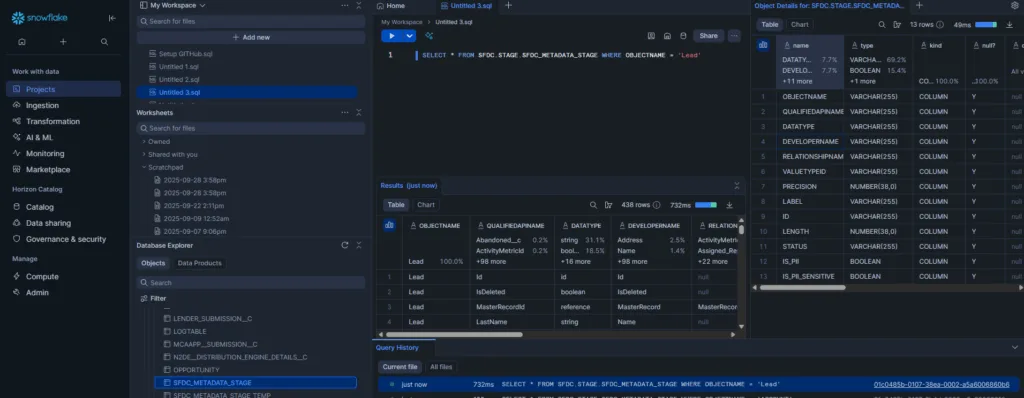
For the last 5 years, I have enjoyed deploying Snowflake workheets to data workers who wanted quick, secure access to curated data assets. I was recently sent scrambling to find alternatives to Snowflake workspaces for data worker roles who are not engineers by trade.

Worksheets were a quick and easy way to access data, administer Snowflake, and share SQL. Recently, Snowflake rolled out its next-generation Snowsight experience. The default SQL authoring experience shifted from a minimalistic editor to a IDE (integrated development environment) user experience.

Why are our users looking for an alternative to Snowflake Workspaces?

There are 3 reasons why customers have immediately asked me for an alternative to Snowflake Workspaces.

  1. Confusing and overwhelming user experience – My users are using words like “hate” and “complex” to describe their experience. After a few weeks, some have adapted but I have seen usage plummet.
  2. Sharing – The previous snowflake worksheets function had a native sharing function, allowing users to start with templates that were run-only. Overnight, users’ worksheets are fragmented and no longer shared.
  3. Errors and settings– A lot of worksheets that ran stopped when a worksheet database and schema were either deselected.

Shifting Dataworkers to Notebooks

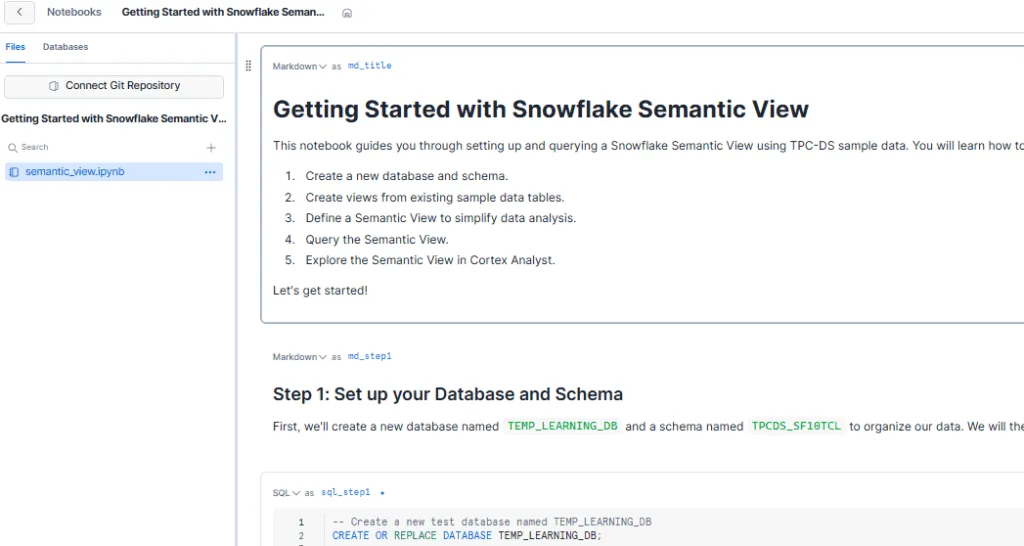
The easiest path for data workers is to shift to Notebooks, which provides a clean and minimalist experience, with a linear, guided path through data / analysis. I personally love working in notebooks. The added benefit of source control with GitHub makes it a viable solution to control and share, but requires access control across tools.

As of Nov 2025, similar to Workspaces, there is no Snowflake-managed “sharing” function.

Marketplace: Streamlit App

I searched the marketplace looking for a solution and came up short. As a result, we built our own solution called DataTools Pro Explorer. We went the low-code route and created a point-and-click exploration tool to quickly access and refine data to the right grain and cut, allowing users to save and then modify the SQL as needed. We kept it very simple and released early. The feedback has been amazing, and we continue to improve and refine DataTools Pro Explorer every two weeks.

View and Install DataTools Pro Explorer in Snowflake Marketplace – It’s free! | View Documentation

Moving from Cloud Themed IDE to Real IDE

We trust that Snowflake had plenty of data and interviews to support building a browser IDE UX for technical users vs the classic minimalistic SQL worksheet editor. DBT Cloud has a proven and battle-tested cloud experience. Frankly, we struggled getting it working for multiple clients. Now, we use DBT natively with Snowflake with clients.

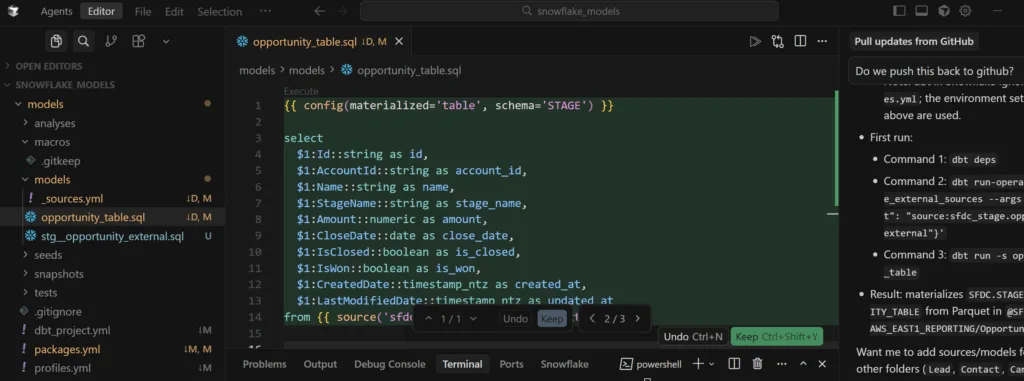
Most of the engineers and data scientists we work with already use their preferred IDE to work with Snowflake. The DataTools Pro team officially moved from VS Code to Cursor as our standard IDE setup. That move with built-in AI co-pilot and agents has been a wonderful move.

Moving Data Work out of Snowflake: Modern Data Delivery & BI Tools

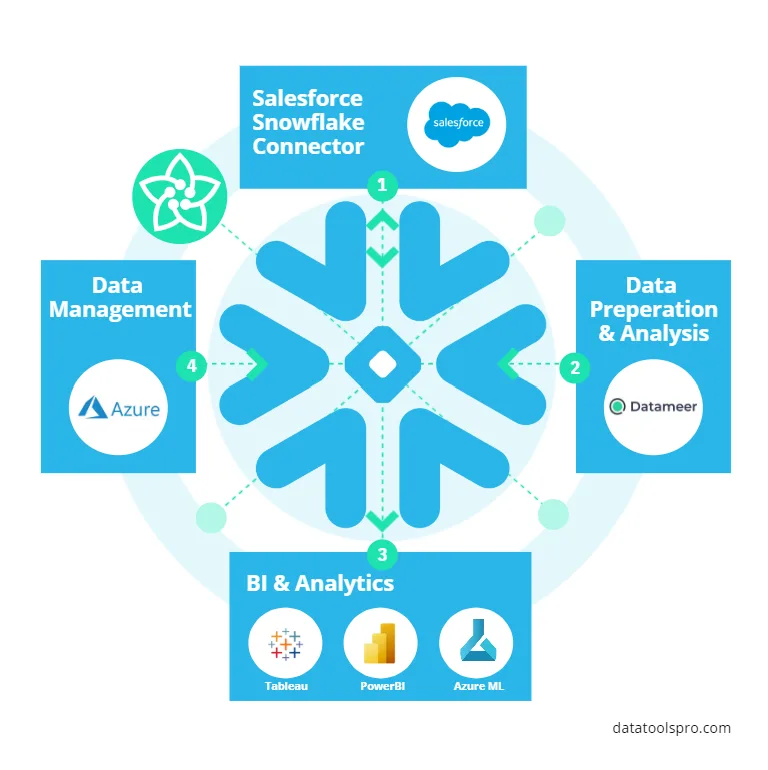
There is no shortage of BI tools purposely built for data workers to access, slice, and dice data. The reality is that Excel is the number 1, ubiquitous data tool for data workers. Modern BI platforms built for cloud lean in heavily and provide very powerful spreadsheet abilities. For data wrangling use cases, I am lucky enough to have Datameer at my disposal. lt remains our top data tool for end-to-end data delivery.

Datameer

We use traditional enterprise-grade BI Platforms like Tableau and Power BI.. There is a wide range of modern analytics platforms like Sigma, Hex, and many others that were purposely built for cloud data platforms like Snowflake.

What about AI?

If you got to the end of this article wondering, “what about an AI chatbots”? I do believe there will be a time and place but I am cautiously optimistic.

Snowflake listens and evaluates its users and has already buttoned up some loose ends, navigating between Snowflake Horizon Catalogue and workspaces. I anticipate worksheets continuously improving. If you need help getting higher adoption from Snowflake, we are happy to help! Check out DataTools Pro Explorer in Snowflake Marketplace and let us know what you think… It’s free!

Adventures with Snowflake MCP and Semantic Views

Snowflake MCP and Claude

Last month, I had an opportunity to roll up my sleeves and start building analytics with Snowflake MCP and Snowflake Semantic Views. I wanted to see how far I could push real-world analyst and quality assurance scenarios with Tableau MCP and DataTools Pro MCP integration. The results gave me a glimpse of the future of AI/BI with real, production data. My objective was to deliver a correct, viable analysis that otherwise would have been delivered via Tableau.

The time spent on modeling my data, providing crystal clear semantics, and using data with 0 ambiguity helps. My results delivered great results, but I ended the lab with serious concerns over governance, trust, and quality assurance layers. This article highlights my findings and links to step-by-step tutorials.

Snowflake MCP and Claude

Connecting Claude, Snowflake MCP, and Semantic Views

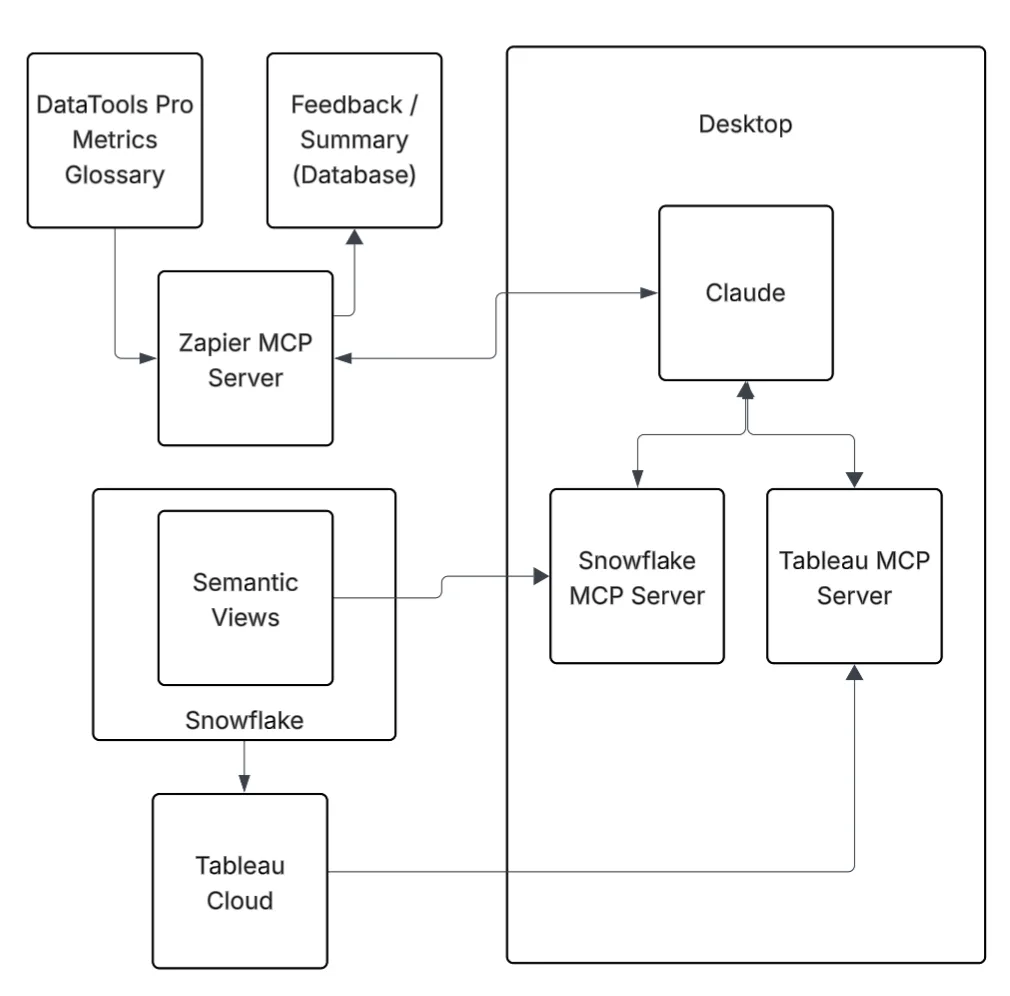
The first step to connect all of the components was building my Snowflake Semantic views. Snowflake MCP gave me the framework to orchestrate queries and interactions, and using Snowflake Semantic Views gave me the lens to apply meaning. All of my work and experimentation occurred in Claude. This gave me the AI horsepower to analyze and summarize insights. To connect Snowflake to Claude, I used the official Snowflake MCP Server, which is installed on my desktop and configured in Claude.

Together, these tools created a working environment where I could ask questions, validate results, and build confidence in the answers I got back.


Creating Snowflake Semantic Views

With my Snowflake Semantic View setup, I spent some time researching and reading other folks’ experiences on semantic views. I highly recommend having a validated and tested Semantic view before embarking on AI labs. If you don’t know what metadata to enter into your Semantic View, seek additional advice from subject matter experts. AI can fill in blanks, but it shouldn’t be trusted to invent meaning without human oversight: Why AI-Generated Meta-Data in Snowflake Semantic Views Can Be Dangerous

Bottom line… Begin with a simple and concise Snowflake semantic model. Build clearly defined dimensions and measures. Use real-world aliases and refrain from using AI to fill in the blanks, unless your objective. Layer on complexity once you’re comfortable with the results.


What Worked Well

  • Control over data access
    Thankfully, the Snowflake MCP is limited to semantic views and Cortex search. The opportunity and value of Cortex search cannot be understated. I will cover that in another post. The idea of unleashing an AI agent with elevated permissions to write SQL on your entire data warehouse is a governance nightmare. Semantic Views gave me the ability to scope exactly what Claude could see and query.
  • Accuracy of results
    The top questions I get during AI labs: “Is this information correct?” I had a validated Tableau dashboard on my other monitor to validate the correctness of every answer.
  • Simple to complex questioning
    My recommendation with any LLM-powered tool is to start with high-level aggregate questions. Use these to build a shared understanding and confidence. Then, grounded on validated facts, you can drill down into more detailed questions with confidence. This approach kept me in control when the analysis moved beyond existing knowledge and available analysis.

Where I Got Stuck

Three challenges slowed me down:

  1. Metadata gaps – When the semantic layer lacked clarity, Claude produced ambiguous answers. It isn’t garbage in, garbage out problem…. It is me having a level of subject matter expertise that was not captured in my semantic layer or in a feedback loop to make the AI system smarter. LLM analysts feel less magical when you know the answers. That is where adding Tableau MCP allowed a pseudo peer review to occur.
  2. Over-scoping – When I got greedy and exposed too many columns, ambiguity crept in. AI responses became less focused and harder to trust. Narrower scope = better accuracy.
  3. Context Limits– I had Claude do a deep analysis dive. I also had it code a custom funnel dashboard that perfectly rendered a visual funnel with correct data. At some point, Claude explained that my context limit had been reached. My analysis hit a brick wall, and I had to start over. Claude is a general-purpose AI chatbot, but it was still disappointing to hit a stride and have to stop working.

Risks You Should Know

If you’re using AI to build your semantic layer, you need to be aware of the risks:

  • AI-generated semantics can distort meaning. It’s tempting to let an LLM fill in definitions, but without context, you’re embedding bad assumptions directly into your semantic layer: Why AI-Generated Meta-Data in Snowflake Semantic Views Can Be Dangerous
  • Do not give LLMs PII or Sensitive PII. As a rule of thumb, I do not add PII or sensitive PII into semantic models. I hope that at some point we can employ Snowflake aggregation rules or masking rules.
  • Governance blind spots. Connecting the Snowflake MCP requires access from your desktop. For governance, we use a personal access token for that specific Snowflake user’s account. That ensures all requests are auditable. Beyond a single user on a desktop, it’s unclear how to safely scale the MCP.
  • False confidence. Good syntax doesn’t equal good semantics. Always validate the answers against known results before you scale usage.

Final Take

Snowflake MCP and Semantic Views are still very much experimental features. They provide a glimpse of what will be possible when the barrier and access to governed, semantically correct data are removed.

In my case, I employed DataTools Pro for deeper metric glossary semantics and a writeback step via Zapier to capture learnings, re-directions, and insights for auditing purposes. If you would like assistance setting up a lab for testing, feel free to contact us to set up a complimentary session

Why AI-Generated Meta-Data in Snowflake Semantic Views Can Be Dangerous

Snowflake AI Semantic Views

I will never complain about having more metadata to improve visibility and understanding. Snowflake Semantic Views is an exciting development that our team jumped on to experiment with our client AI innovation labs. The whole purpose of building and governing semantics in your data warehouse and analytics platforms is to create meaning for the consumption of data.

Every enterprise approaches business analysis and requirements gathering for data engineering differently. At DataTools Pro, our entire business model centers on metrics governance and semantics. Our deep understanding of business drivers and outcomes is why we’re excited about the new Snowflake Semantic Views.

Unfortunately, we’ve also uncovered a major issue… It accelerates creation but could undermine long-term success and adoption of semantic views in Snowflake.

The problem: Using AI to automatically prepare and fill your semantic layer is a “use at your own risk” shortcut.


Why AI-Prepared Semantics Without Context Is Dangerous

If you don’t truly understand the meaning of the data in your Snowflake view, you shouldn’t rely on AI to generate the semantic model metadata.

AI tools like Snowflake Cortex can scan your data and infer semantics. This is dangerous because it creates a risk of distortion and misunderstanding for future users. The purpose of a semantic view is to apply clear, shared meaning to data, which helps with discovery, context, search, and analysis.

For example, imagine you run into a credit risk semantic view for business loan applications. Columns are labeled as:

  • AVG Sales
  • Monthly Gross Sales
  • Avg Balance
  • Annual Gross Sales

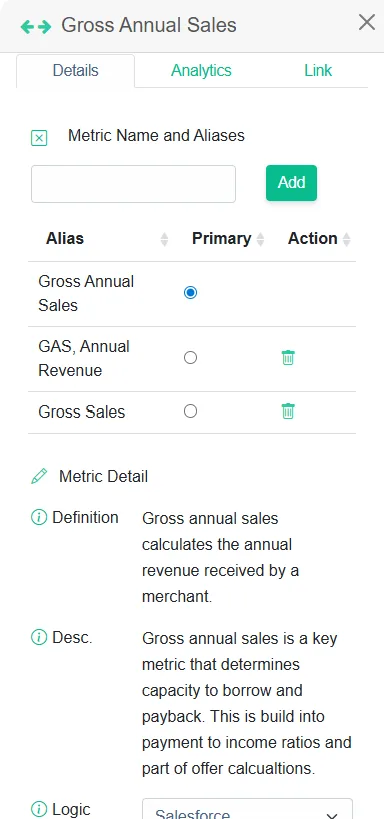
These are all distinct measurements with specific meanings and purposes to understand the financial stability of a client and the capacity for borrowing. Credit analysts rely on those differences for accurate analysis. If you let Cortex AI infer semantics and aliases here, you risk collapsing those distinctions, introducing confusion, and ultimately devaluing future AI tools that depend on your semantic view.


Lessons Learned Building Semantics and Metrics Glossaries at DataTools Pro

When we design a semantic view in Snowflake, we already have a metrics glossary for our clients taken directly from their loan origination system and credit-risk scorecard. We use AI less to infer meaning but rather to understand and infer disparity in existing semantics. Our learnings over the years is a key to a strong semantic model is not just labels. It’s the business definitions, descriptions, logical expressions, and taxonomy details that connect the dots for both business and AI consumers, along with a detailed plain English description without technology jargon.

This is why semantics must be curated by people who understand the business context. AI can help accelerate the process, but it cannot replace human interpretation of meaning

When we load and analyze data with Snowflake Semantic views using Snowflake MCP, we also load DataTools Pro metric glossary at the same time with Zapier.


Our Recommendations: Getting Started with Snowflake Semantic Views

  1. Begin with a narrow, well-understood dataset.
    Choose data that already supports reporting and analytics so you can validate and build trust in the model.
  2. Use AI for drafts, not for decisions.
    Let AI suggest aliases or descriptions, but then sit down with subject matter experts to review and fill in metadata manually. This highlights exactly how far off AI can be.
  3. Expand where pain is high.
    Add new semantic views for topics and problems that cause outsized pain for business users. Even if they seem lower in strategic priority. These quick wins build adoption and credibility.

Bottom Line on Snowflake Semantic Views

Snowflake Semantic Views should be built with trust and meaning top of mind… not speed. Using AI alone to populate your semantic metadata is a shortcut that risks undermining the very purpose of the Snowflake Semantic view. Start small, work smart, validate with real analytics, and lean on your experts to build something amazing! If you need help, feel free to set up a free consultation.

Hubspot cohort analytics with Snowflake and Datameer

Hubspot Cohort analytics on Snowflake

Creating Hubspot cohort analytics is quite simple once you understand and prepare your funnel data properly. In this video, I decided to share in detail how I prepare data in Snowflake using Datameer. In this demo, I narrow in on the organic exploration and understanding of data that is lacking from many data and analytics solutions.

Implementing technology solutions that move and transform data is simple work

  • Moving data from Hubspot to Snowflake should require only a handful of clicks.
  • Connecting and joining Deals & Contacts to a Deals_Contacts in Snowflake should require a few lines of code.

Creating understanding and adoption of data assets intended for analytics & business outcomes is hard work

  • Creating understanding of data and desired outcomes across business and technical teams
  • Alignment of data “completeness and correctness” for data that is naturally imperfect
  • Delivery and adoption of data/analytic
  • Change management across systems, business definitions and teams.

Understanding and modeling data to fit a desired outcome is where the real work begins and why I am so bullish on Snowflake + Datameer.

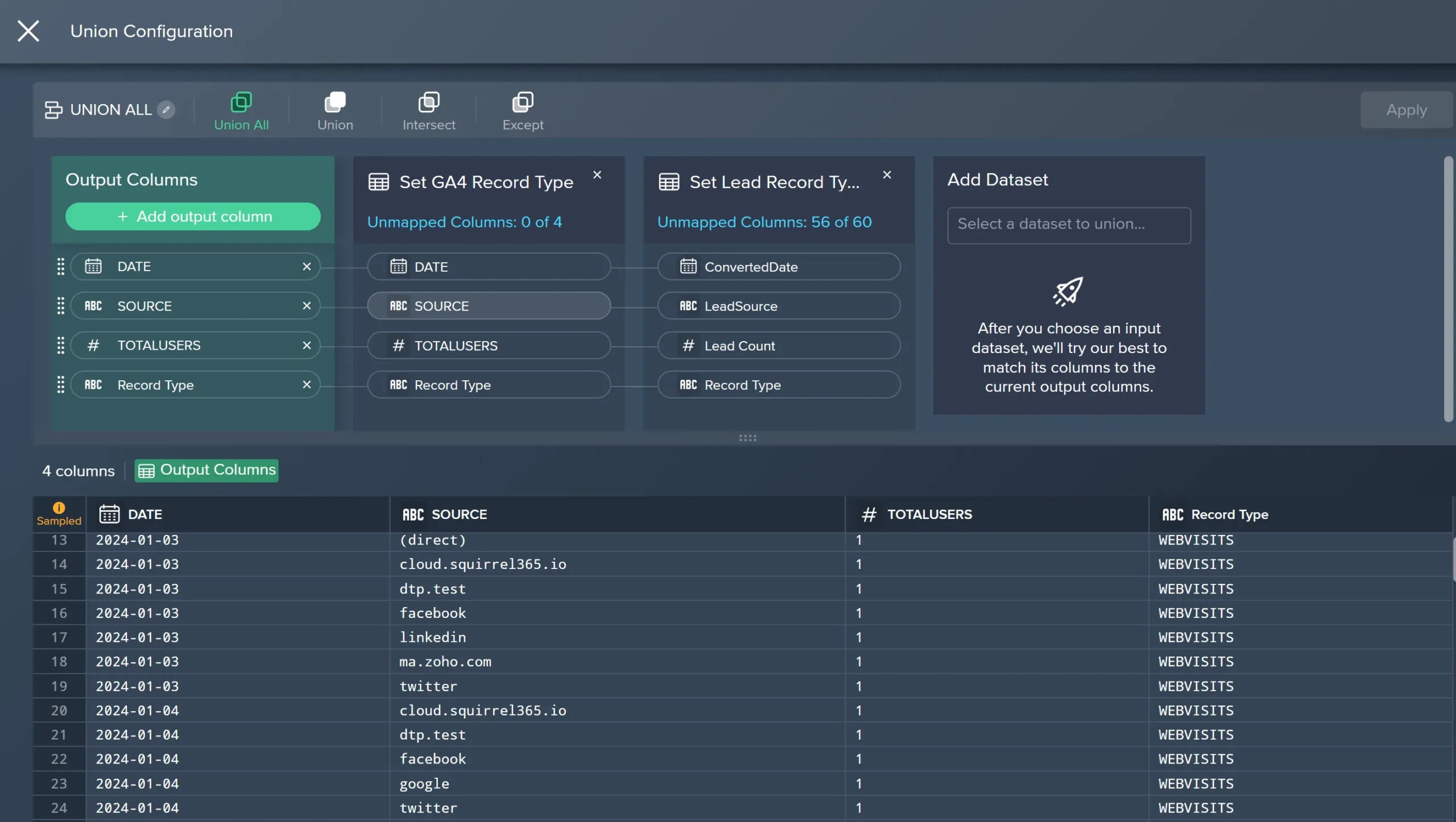
In today’s video, we dive into the technical details and process how we use Datameer to explore, transform and publish HubSpot cohort analytics data directly inside of Snowflake.

Hubspot Cohort analytics in Snowflake video:

  • How to handle junction tables between contacts and deals
  • How to filter and reduce raw data into business-ready tables
  • How to visually explore and validate record matches
  • How to deploy clean, validated data sets as Snowflake views or tables
  • Change management, source control, and promotion management

Whether you’re building cohort analyses, revenue attribution, or funnel-to-ERP connections, this is how we go from messy CRM data to clean, trusted insights.

Need help building Hubspot analytics or setting up Snowflake

Setup a free consultation

Feeding Data from Facebook Ads to Snowflake

Facebook Ads to Snowflake

This week, I decided to take my exploration of Snowflake external interface to pump data from Facebook Ads to Snowflake. I took a template that I previously used for Hubspot meta data analysis and rolled those learnings into building a Facebook data tool. A little ChatGPT guidance had me up and running within 20 minutes.

Security and Permissions Guidance and Requirements

Before you jump in and start clicking through this tutorial there are some considerations you need to run this end to end.

1 Access to a real Facebook ads account– When you complete the setup, you preferably want to test and valdiate against a real Facebook ads account. The same developer account you use, will need direct access to a Facebook ads account.

2. Snowflake Enterprise – You will need a full, registered version of Snowflake enterprise to utilize external interface to run this stored procedure.

3 Access to Snowflake AccountAdmin– This process requires external interface to be enabled and a network rule grating access to Facebook graph API. To do that you need AccountAdmin access or request your Snowflake admin to enable this feature. This tutorial explains all of the components, so you may want to pass this along to your admin along with a formal request to enable this feature.

Setup your Facebook App and Acquire a Token

Login to Facebook Developer Console and view “My Apps”

Create a new App in Facebook developer console

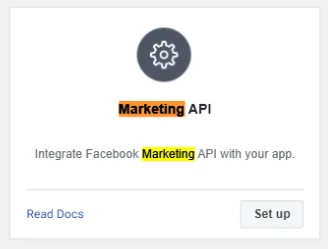
Select “Setup” for “Marketing API” so you can access APIs that will ultimately deliver your data into Snowflake.

To pull Facebook Ads insights (like impressions, spend, clicks). In my case, I am reading and analyzing data so I just checked the “read” permissions.

  • ads_read → Required for reading ad data
  • read_insights → Required to access ad performance metrics
  • ads_management(Optional) Only needed if you’re modifying campaigns or fetching extra account metadata (not required for read-only insights)

Click “Get Token” and store it in a secure key vault or key management tool.

Setup your Snowflake for Facebook Ads data

Login to your Snowflake org

Create a table that will store your staged data. I called my table “AD_INSIGHTS” that resides within a FACEBOOKADS schema.

-- CREATE TABLE TO HOLD

  CREATE OR REPLACE TABLE <<YOURDB>>.FACEBOOKADS.AD_INSIGHTS (
  METADATA VARIANT,
  LAST_UPDATED TIMESTAMP,
  TABLENAME STRING
);

Create a secret to hold your Facebook access token securely. This is the same token you acquired in the steps outlined earlier in this tutorial.

CREATE OR REPLACE SECRET facebook_access_token
  TYPE = GENERIC_STRING
  SECRET_STRING = 'PASTE_YOUR_ACCESS_TOKEN_HERE';

Create a network rule that will allow Snowflake to connect to Facebook graph API. This requires elevated permissions in your Snowflake org.

CREATE OR REPLACE NETWORK RULE facebook_api_rule
  MODE = EGRESS
  TYPE = HOST_PORT
  VALUE_LIST = ('graph.facebook.com');

Create external access integration. This requires elevated permissions in your Snowflake org.

  CREATE OR REPLACE EXTERNAL ACCESS INTEGRATION facebook_integration
  ALLOWED_NETWORK_RULES = (facebook_api_rule)
  ALLOWED_AUTHENTICATION_SECRETS = (facebook_access_token)
  ENABLED = TRUE;

Create a stored procedure to connect and return raw JSON data to Snowflake

CREATE OR REPLACE PROCEDURE <<YOURDB>>.FACEBOOKADS.FETCH_AD_INSIGHTS(ad_account_id STRING, date_preset STRING)
  RETURNS STRING
  LANGUAGE PYTHON
  RUNTIME_VERSION = 3.10
  PACKAGES = ('snowflake-snowpark-python', 'requests')
  HANDLER = 'main'
  EXTERNAL_ACCESS_INTEGRATIONS = (facebook_integration)
  SECRETS = (
    'facebook_access_token' = <<YOURDB>>.FACEBOOKADS.FACEBOOK_ACCESS_TOKEN
  )
  EXECUTE AS OWNER
AS
$$
import _snowflake
import requests
import datetime
import json
from snowflake.snowpark.types import VariantType, TimestampType, StringType, StructType, StructField

def main(session, ad_account_id, date_preset):
    token = _snowflake.get_generic_secret_string('facebook_access_token')
    
    url = (
        f"https://graph.facebook.com/v19.0/act_{ad_account_id}/insights"
        f"?fields=campaign_name,ad_name,impressions,clicks,spend"
        f"&date_preset={date_preset}&access_token={token}"
    )
    
    response = requests.get(url)
    if response.status_code != 200:
        return f"Error: {response.status_code} - {response.text}"
    
    raw_json = json.loads(response.text)
    now = datetime.datetime.utcnow()

    schema = StructType([
        StructField("METADATA", VariantType()),
        StructField("LAST_UPDATED", TimestampType()),
        StructField("TABLENAME", StringType())
    ])

    df = session.create_dataframe([[raw_json, now, ad_account_id]], schema=schema)
    df.write.mode("append").save_as_table("<<YOURDB>>.FACEBOOKADS.AD_INSIGHTS")

    return f"Success: ad insights for account '{ad_account_id}' inserted."
$$;

Obtain a campaign ID that you have access and permissions to:

Execute and request your performance data.

CALL <<YOURDB>>.FACEBOOKADS.FETCH_AD_INSIGHTS('<<YOURADACCOUNTID>>', 'last_7d');

Note: Your should NOT prefix your account ID with any values like “act_“. The stored procedure pre-filles that prefix.

Your results should load into <<YOURDB>>.FACEBOOKADS.AD_INSIGHTS as JSON.

In the next tutorial on this topic, I will share the SQL I use to parse ads data, analyze and weave in performance with my CRM data.

Replace Alteryx Self Service Chaos

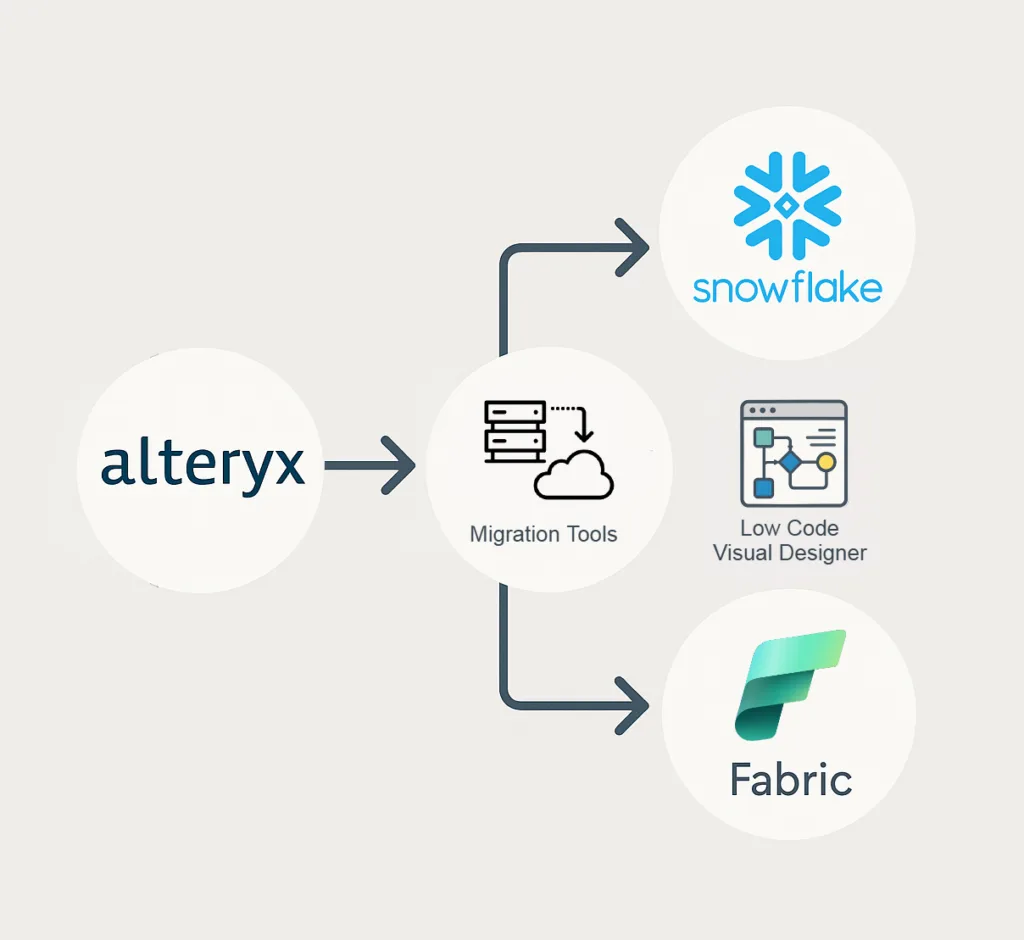
Alteryx Migration

At DataTools Pro, we are longtime users of Alteryx and have termed it the ultimate data Swiss-Army knife. Having to replace Alteryx for enterprises is not an easy decision because skilled Alteryx builders are wildly productive turning data into information.

The power of Alteryx is the ability to rapidly transform and validate disparate data without writing code. This pattern remains ideal for analysts who struggle to automate complex data workflows in Excel. Data engineers who would typically write code to transform data sometimes lack business context and experience understanding acceptable validation rules. The symbiotic rise of Tableau allowed Alteryx as a high quality “ETL for Analysts” solution thrived.

Alteryx Rocketship : The State of Data in 2010-2020

  1. Data management and business intelligence were centralized but moving toward self service
  2. Analytics turn times were measured in quarters and years
  3. Data and BI teams were severely backlogged and unable to meet demand
  4. Data was spread across windows file shares and on premise databases
  5. Large enterprise data warehouses were extremely slow to develop
  6. The rise of self service visualization with Tableau created the perfect symbiotic relationship

No-Code can get in the way of efficiency

A few years ago, while using Alteryx with Snowflake, I found myself leaning on the Alteryx Python tool to handle extreme edge cases where 10-15 nodes could be expressed in a few lines of code. For example, a rolling 60 business day (minus bank holiday) window function is something we created as a UDF in Snowflake.

Shift from ETL to ELT

As a head of data and analytics and now as a consultant using Snowflake has been a game changer. As an enabling technology, it has democratized the data warehouse the same way Alteryx did for no code ETL 15+ years ago. Now, I can pump millions or hundreds of millions of rows into Snowflake with low storage costs, process, and then deliver to any analytics tool securely.

There are many new drag and drop, flow based solution that have learned and improved on the ETL tools that came before. When it comes to analytics-focused data flows for Snowflake, Datameer has long been my choice after discovering them looking for a low code solution to handle the transformation layer.

Demystifying Alteryx Flows like Messy Code

A SQL engineer can solve problems with un-optimized, difficult to follow code. Similarly an Alteryx builder can create overly complex flows, or worse stitch many flows together that can take days to decouple. In 2025, I can take tens of thousands of lines of SQL code, pump it into ChatGPT and immediately demystify, document and understand what to do next. An Alteryx installation that has grown over time naturally accumulates technical debt.

To demystify Alteryx, there are numerous tools that we use to inventory and understand Alteryx Flows.

Why Replace Alteryx with Snowflake Powered Data, Analytics and AI

Cost, complexity and operational risk are the three consistent themes we see for clients looking for alternatives to Alteryx. There are numerous tools in the market for no-code flows that have advanced beyond Alteryx. We are happy to introduce you to them.

If your enterprise’s data strategy calls for using Snowflake as the core data platform for analytics and AI, we highly recommend Datameer!

We are here to help you inventory and plan your migration