Essential Salesforce Metrics & KPIs Guide

Futuristic Salesforce Metrics and KPIs Dashboard

Salesforce metrics and KPIs are important tools to define how you will manage and monitor your Sales and Marketing efforts. Metrics and KPIs playing a crucial role in aligning strategies with business goals. In this article, we dive into vital Salesforce Lead and Opportunity Pipeline Metrics, emphasizing the importance of consistency and clear definitions. Whether a stakeholder, Salesforce admin, or a member of a data analytics team, here, you’ll gain insights, answers to common questions and examples.

5 Salesforce Lead Metrics you Should be Tracking

While different organizations and industries have varying definitions for leads, prospects, and customers, the following metrics are designed for organizations where lead generation and handoff occurs inside of Salesforce.

  1. Qualified Leads Generated – How many qualified leads are delivered to sales? The qualification definition will vary per organization, as some use MQL (marketing qualified leads) and others use SQL (sales qualified leads). Having the qualification definition also helps identify un-workable leads which creates a feedback loop to improve lead generation channels.
  2. Lead Generation to Response Time – How fast are you making contact with leads after a prospect is delivered to your sales organization? Turn time for some businesses are measured in hours but for some they are measured in minutes.
  3. Lead Conversion Rate – How many leads need to be worked to generate a deal with revenue potential? Many organizations convert leads and create opportunities different stages of the Sales cycle. We recommend measuring from a key, well defined the point in your Sales funnel that is unlikely to change over a long period of time.
  4. Lead to Close Win Ratio – How many leads do you need to generate to close deals?
  5. Cost per Lead and Closed Won – What are your marketing campaign costs relative to lead generation and deal closure? For organizations that track their marketing campaigns and spend inside of Salesforce, this metric can be tracked using Salesforce campaigns. Not all organizations track marketing spend inside of Salesforce unfortunately.

5 Salesforce Opportunity Pipeline Metrics you Should be Tracking

It goes without saying the count of won opportunities, revenue and margin are important and common sales metrics. Here are 5 additional metrics that you can look to for inspiration.

  1. Deal Win Rate – How many fully qualified Sales opportunities are closed? This metric is used to measure the effectiveness of your sales team.
  2. Outbound Activities to Close – Measuring how many phone calls, emails, and SMS are required to close deals is effective at aggregate to measure top and bottom performers and understand globally what it will take to move customers through each stage to a win.
  3. Average Deal Size – Understanding your average and potential median deal size are important to understand market shifts, targeting, sales effectiveness and is typically a driver for forecasting and predicting future deals.
  4. Lifetime Value $ – For every customer, what is the total average value over time?
  5. Churn Rate – For customers that are won, how many of them churn at the end of their service period or no longer make second purchases within a specified timeframe?

3 Salesforce Metric Tips for Success

  1. Consistency of your metrics and KPIs are measured over time is most important. If the definitions change often, your ability to effectively use the metrics diminishes. Ensure you use clear definitions for points in your sales process.
  2. Clear and concise metric definitions will ensure your business stakeholders, Salesforce admins, and your data and analytics team are aligned.
  3. Ownership of every metric helps ensure accountability not only for monitoring. This also helps ensure changes in definitions and assumptions have a point person for approval.

Common Salesforce Metric and KPI Questions

What is a Salesforce Metric

A Salesforce metric measures performance over time where Salesforce is typically the system of record where the business process and transaction occurs. Salesforce metrics like sales revenue or lead conversion rate are created, calculated and measured with reporting inside of Salesforce or using 3rd party reporting and dashboard tools directly integrated with Salesforce.

What is a Salesforce Metric vs KPI?

A Salesforce metric tracks measurements over time while a KPI or Key Performance Indicator typically has not only a definitive target, but also a timeline and linkage to business goals and objectives.

A KPI should indicate the current and historical performance (Sales revenue is a common KPI for sales), while metric could help identify the leading indicators that influences sales (outbound calls, talk time).

How do I manage Salesforce metrics?

Many organizations simply manage Salesforce in Excel or word, which is fast and easy but requires a tremendous effort and cross functional ownership. There are a number of free solutions that help automate and streamline collecting, organizing and sharing metrics and tracking changes over time.

How do I ensure consistent Salesforce metrics?

Consistency in naming and consistency in measurement are two very common challenges within Salesforce. Tracking and managing aliases or synonyms for metrics over time is important but the measurements and application of metrics in reports needs to be consistent.

How do I design Salesforce KPIs?

The best advice is to ask your business leadership first what is the objective or goal that is most important? From there what are the top 3 things we should do to reach that goal? That is the framework for your KPIs. Setting a target and timeline to achieve the target in many sales organizations are monthly or quarterly. The most important thing is not to get hung up on terminology. If you are setting and agreeing to measurable goals and outcomes, that is most important. Consistency in terminology and approach is most important.

What is DataTools for Salesforce Metrics?

We built DataTools Pro to help inventory, manage, and track implementation of metrics and reporting inside of Salesforce. Bringing the same techniques we use for large scale enterprise Business Intelligence solutions, we have paired it down to make it very simple for Salesforce users.

  • Inventory metrics
  • Track aliases / synonyms for metrics
  • Align dashboards and reports to metrics
  • Detailed definitions and ownership
  • Align metrics to topics and lines of business

How do I create Salesforce Metric and KPI Dashboards?

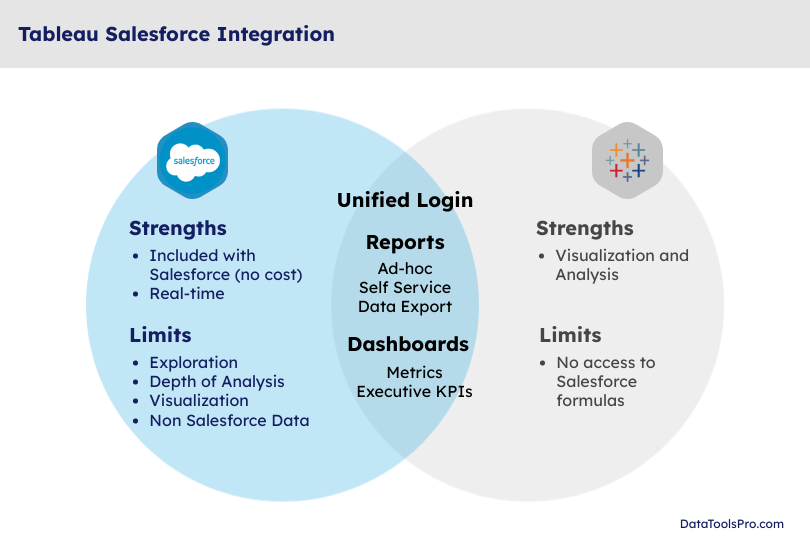
Salesforce provides powerful and flexibility reporting and dashboard tools that ship standard with Salesforce. As the sophistication of your reporting and tracking requirements grow or complexity of calculations increase you may need a solution like Tableau (owned by Salesforce) or one of the many powerful point solutions.

Exciting New Native Salesforce Snowflake Integration

Salesforce and Snowflake Integration

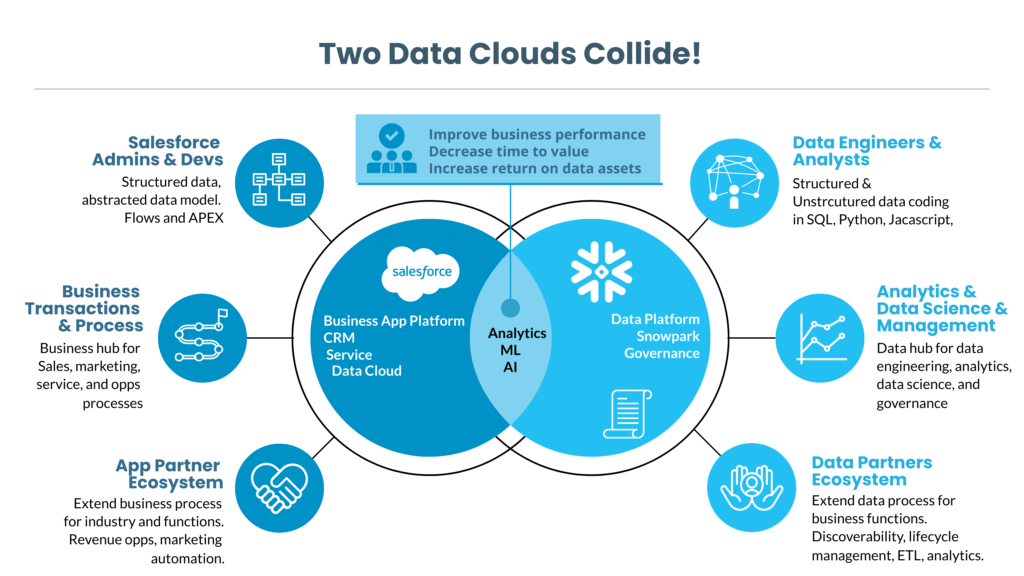
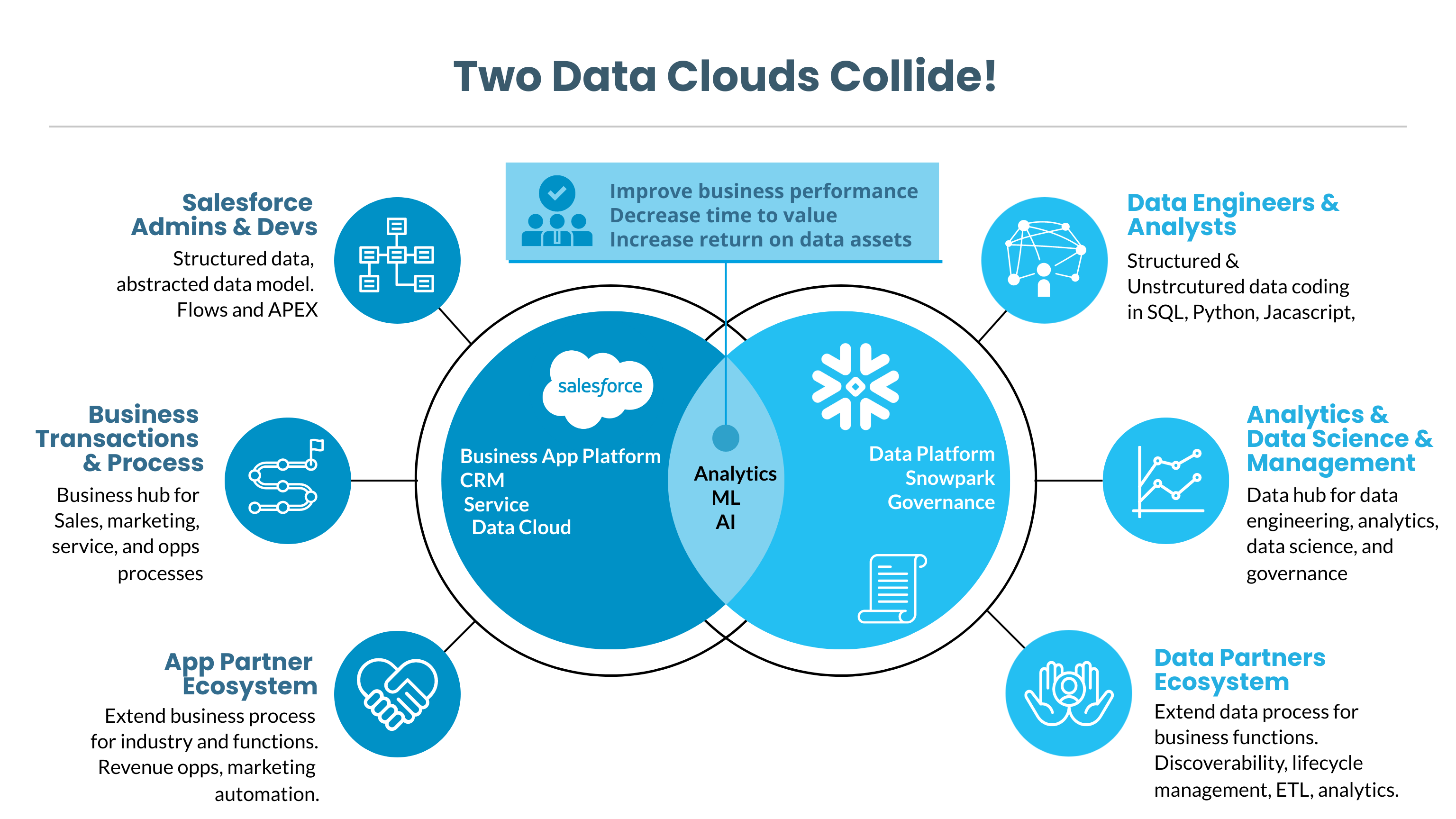
When it comes to optimizing your business processes and data analytics, Salesforce and Snowflake stand as two potent platforms, each with its own ecosystem of developers, stakeholders, and users. The Salesforce Snowflake Integration is an essential conduit that amplifies the bond between these two cloud platforms.

Salesforce and Snowflake Integration

Native Salesforce Snowflake Integration: A Milestone in Native Data Sharing

Earlier this week, Salesforce and Snowflake made a groundbreaking announcement: the general availability of native Salesforce data sharing for Snowflake,  via what is colloquially referred to as “BYOL” (Bring Your Own License). This is a significant advancement, especially for Snowflake users familiar with the benefits of zero-copy sharing, a core Snowflake feature. With this integration, gone are the days when you needed layers of additional software, services, and complex processes to bridge the two platforms. This is where the Salesforce Snowflake Connector comes into play, simplifying data access and queries between Salesforce and Snowflake.

Skill Enhancement through Certification Paths

Salesforce Data Cloud serves as a data hub orchestrating a wide range of business activities—be it CRM, marketing, or or any web/mobile activities. To encourage this, Salesforce recently launched its Certified-Data-Cloud-Consultant learning path. This will help Salesforce organizations readily find skilled professionals adept in Salesforce Snowflake Integration.

Salesforce Runs on Snowflake: Following the Leader

In a revelation that should add credibility and assurance to the Salesforce Snowflake Integration, Salesforce’s internal data and analytics have migrated to run on Snowflake. This shows Salesforce is not just advocating for the technology but using it themselves, setting the stage for rapid advancements in Salesforce and Snowflake connectivity.

Transforming AI/ML Workloads

The Salesforce and Snowflake partnership holds tremendous promise for accelerating the time-to-value from your Salesforce data assets. From curating data to deploying ML models, the integration, facilitated by the Salesforce Snowflake Connector, will enable enterprises to leverage their data in novel ways, including the utilization of advanced AI features. There are many first and third party powered solutions to weave your model deployment efforts.

Need Help Navigating these Waters?

We have been in front of Salesforce and Snowflake integrating analytics apps for years. We recreantly wrote the  Salesforce data synchronization to Snowflake Guide and can’t wait to extend this into DataCloud. We have an incredible partner network that can help you implement any Salesforce or Snowflake Cloud components (CDP, MarketingCloud, Tableau).

Schedule a meeting to learn more

Ultimate Salesforce and Snowflake Guide on Salesforce Ben

Salesforce Ben

This week Ryan released a guide for Salesforce and Snowflake on Salesforce Ben. Salesforce Ben is the leading independent Salesforce.com community and authority on all things Salesforce.com.

Snowflake and Salesforce is a perfect marriage of cloud business applications and cloud data platform to turn data into information. Salesforce has built a powerful first-class integration within Salesforce Data Cloud that is the most advanced of any third party connectivity

If you are currently using Salesforce Data Cloud or Salesforce Tableau CRM this article is for you. Additionally, while at SnowflakeSummit2023, we saw some incredible Salesforce Data Cloud enhancements for Snowflake that will be game changing for enterprise cusetomers.

We can’t wait to write about upcoming zero copy feature from Salesforce to Snowflake. Included in our article is step by step tutorials how to integrate Salesforce with Snowflake to day. Should you have any questions how these capabilities apply to your enterprise or how Snowflake can advance your Salesforce analytics, we are here to help!

Azure Snowflake Data Lake with Salesforce Data in a Few Clicks

Snowflake data lake powered by Azure Data Lake

In this video tutorial we build a Snowflake Data lake filled with Salesforce data using the power of Azure Data Factory. We built an ADF template that uses a few simple prompts to power a meta-data driven pipeline.

New Salesforce to Snowflake data pipeline template

View complete documentation

View more Tutorials

Download our Azure DataFactory Template Now

This field is for validation purposes and should be left unchanged.
Name(Required)

MVP Released in 2023

Learn more about the origins of our 5 Minute Snowflake data lake concept, where we automated our entire Salesforce data extraction process with a meta data driven approach. We used our own MVP to work with clients and refine our ELT solution with clients that invest in Azure for cloud infrastructure, Salesforce for sales, service, and operations, and Snowflake as a data platform for analytics.

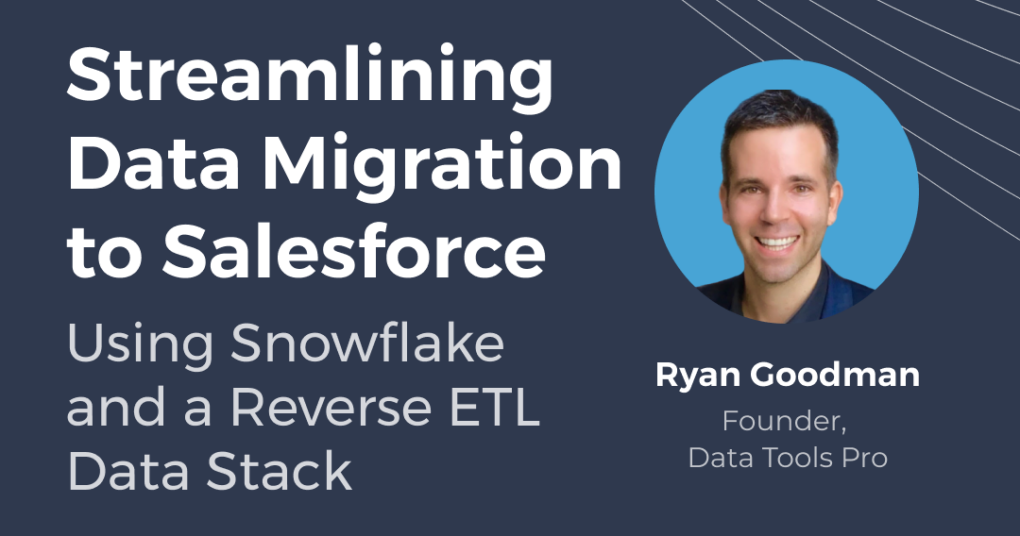
Webinar: Streamlining Data Migration to Salesforce in 2024 using Datameer and Snowflake

Datameer Webinar

View our recorded webinar with Datameer and Data Tools Pro discover how you can optimize your Salesforce data migration process in 2023 using a reverse ETL process powered by Datameer and Snowflake. This webinar will be presented by Datameer and Ryan Goodman, creator of Data Tools Pro. Ryan will showcase how Datameer has been the secret sauce to accelerate a reverse ETL data stack to effectively prepare, transform, and analyze data.

Whether you’re a Salesforce administrator, a data analyst, or data professional, this webinar will equip you with practical insights to streamline your data migration. Don’t miss out on this opportunity to learn and ask live questions how to enhance your data migration practices.

What you will Learn?

During the webinar, we’ll cover , real-world examples of successful reverse ETL scenarios for Snowflake specifically for Salesforce. Additionally, Ryan will share best practices and pitfalls to avoid during a typical Salesforce.com data migration.

On Demand Recording

This field is for validation purposes and should be left unchanged.
Name(Required)

How my Snowflake Powered Lead Distro Test Turned Out to be Reverse ETL

Snowflake Cloud Data Pipelines for Reverse ETL

A year ago, I worked on a small project to help us improve our data driven funnel. I learned what I called “Snowflake to Salesforce analytics sync” had a more buzzworthy term called “Reverse ETL.” This article shares some of the lessons learned along the way and some thoughts about where reverse ETL is headed.

Low Level of Effort Solution

All of the data and metrics were already available and calculated in Snowflake for reporting, so the process to push those measurements back into a Salesforce object using Azure Data Factory was quite simple.

The transformation work was prepared using Datameer on top of Snowflake which I had previously written about: Slice Through your Snowflake Data like a Buzzsaw with Datameer

Salesforce.com Migration Research Q&A with ChatGPT

ChatGPT from OpenAI is a very powerful generative AI system for research that has quickly captivated millions of users.

I decided to put ChatGPT to the test to do a focused Q&A session about moving to Salesforce.com and how to plan for your data migration. The results were absolutely amazing!

Check out this article on Medium to get the most common questions answered by ChatGPT about moving to Salesforce.com and what to expect for migrating your data into Salesforce:

Read More on Medium