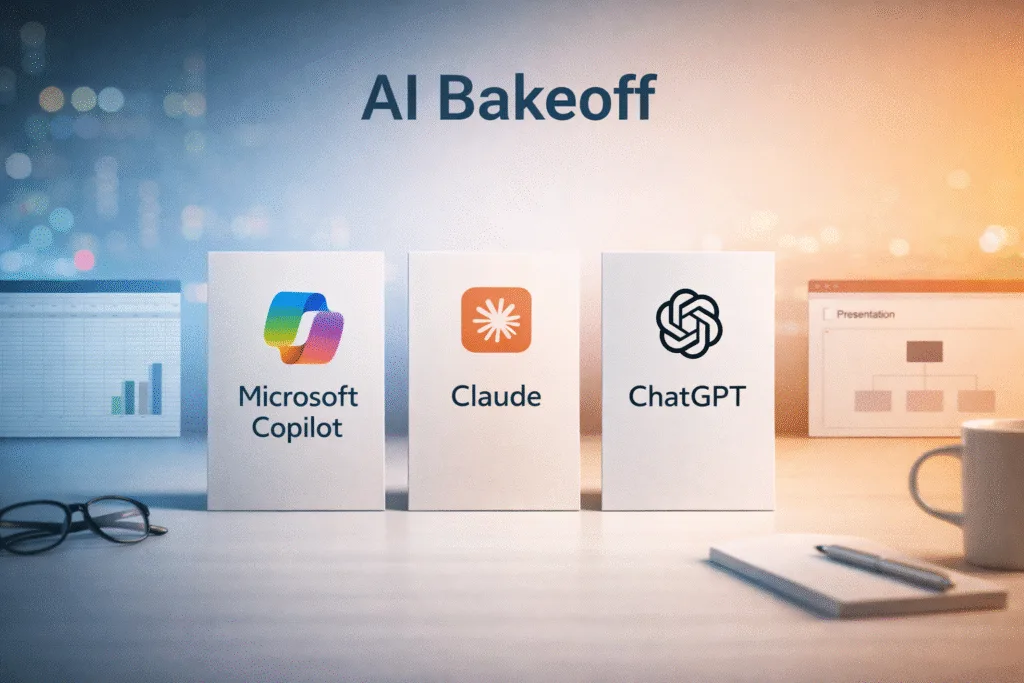
This weekend, I did a real world Microsoft Copilot vs Claude vs ChatGPT bakeoff while wrapping up a lead magnet calculator. In preparation for a Microsoft call to discuss an AI Copilot rollout, I wanted some hands on experience.
The Bakeoff Workflow
- Take a detailed calculator requirements doc (AI generated from source code).
- Recreate a simplified version in Excel via prompt.
- Document the structure.
- Translate the workflow into an executive ready PowerPoint story.
- Use the output as preparation for a Copilot rollout conversation.
This would be a day of work for multiple people. The project was complete in less than an hour.
Phase One: Translating the App into Excel
The spreadsheet needed:
- Clear input structure supplied by a 400 line markdown file.
- Clean calculation logic
- Organized output summary
- Executive ready formatting for review and sign off
| Microsoft Copilot | Claude | ChatGPT |
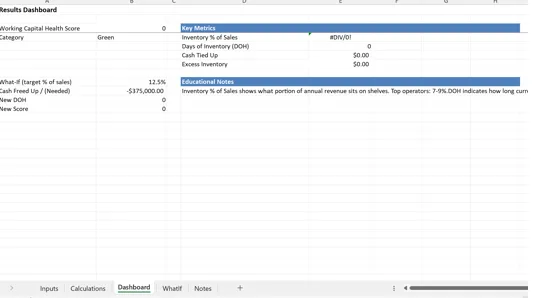
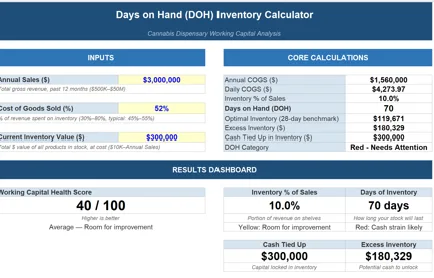
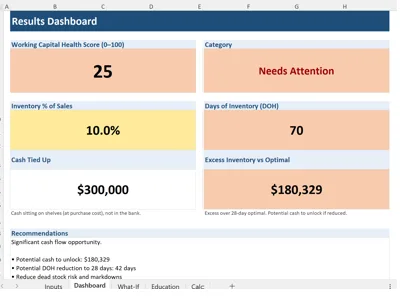
| Copilot fragmented the logic across multiple tabs. Inputs and outputs were not logically grouped. Structural coherence was inconsistent. If an AI tool creates cleanup work, the productivity gain erodes immediately. | Claude generated a tight, single page spreadsheet. Inputs were grouped cleanly. Calculations were centralized. Outputs were summarized clearly. It felt intentional and the result was the best of the group. | ChatGPT produced a multi tab structure with clear separation between inputs, logic, and results. It was operationally sound and logically organized. It required slightly more navigation than Claude’s single page approach, but the structure held. |
 |  |  |
Phase Two: Explaining the Build in PowerPoint
I have never been a fan of PowerPoint. It is a corporate time and knowledge sinkhole. My hope is one day data / knowledge management tools paired with LLMs will force PowerPoint to evolve or go away.
PowerPoint exists as a corporate knowledge artifact that memorializes a point in time. In concept that would be a great thing if the real story and context wasn’t lost in meetings and presentations where PowerPoints are delivered. Microsoft has all of the pieces to the puzzle, so I am blown away they haven’t put it all together.
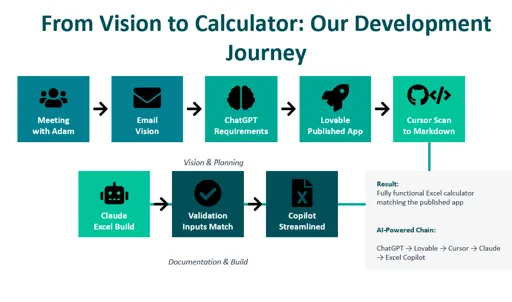
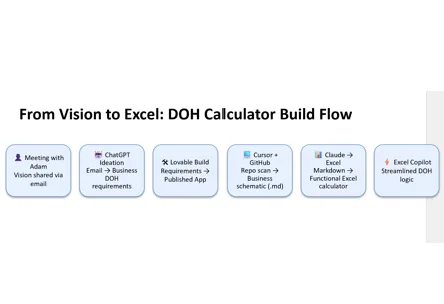
Clearly this stress test wasn’t going to be transformational to my way of working… At minimum, I wanted to produce a single slide that would explain my app design workflow, to highlight how I was using AI.
- How the idea evolved
- How AI accelerated development
- Where structure improved
- Where friction was eliminated
| Microsoft Copilot | Claude | ChatGPT |
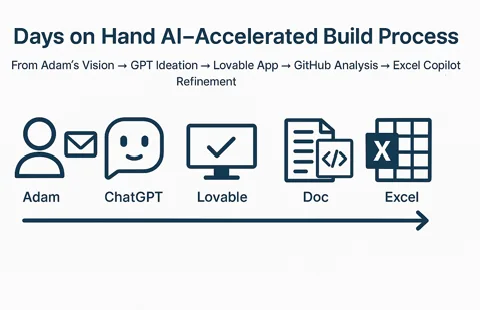
| Copilot generated an image instead of an editable diagram. My issue is when shapes cannot be modified, it becomes static decoration. Even the text was encoded as text which is annoying. | Claude produced a comprehensive diagram with strong narrative flow. It mapped the journey clearly and felt cohesive. Text was editable. | ChatGPT generated a simpler diagram, fully editable in PowerPoint. Less polished, more modular. |
 |  |  |
My findings with Microsoft Copilot so far..
Copilot’s core advantage is integration within Microsoft 365. Outlook was not part of this evaluation but I am praying when I get to the proof of value, it is the star of the show. The Excel and PowerPoint experience was underwhelming for creation. However, I did use co-pilot to evaluate and edit my Claude produced Excel. It did a great job with that task.
Adoption fails when cognitive load remains unchanged. Frustration happens when more time and cognitive load are required than the previous solution.. Without a major payoff in the form of pain reduction or value creation, its tough to recover.
Bottom line: Claude felt magical, and Copilot felt like something I experienced 18 months ago in ChatGPT. Enterprise platform alignment with Office and Azure, security, and wider distribution are real value drivers. That feeling of being behind could make this an acceptable solution.
My Strategic Criteria for Evaluating Copilot
Productivity and Communications Compression Across Microsoft 365
Copilot’s primary strategic function is to compress knowledge work inside the Microsoft ecosystem. Copilot is not designed to replace core application functions; it is designed to accelerate them.
When it comes to communication (Email and Teams), my hope is Copilot will clearly increase the velocity of information consumption and delivery. If not, upcoming proof of value exercise could be short lived.
My primary objectives as I evaluate CoPilot…:
- Streamline Email search (Gemini in GMail has been a game changer).
- Speed to response via email
- Shorten drafting cycles.
- Consolidation of meeting summary tools into 1 repository.
- Speed spreadsheet modeling
- Automate presentation generation
Provide a secure, standardized AI layer across the organization
Security is a major concern for every operator and executive when it comes to these AI models. Copilot provides at least one controlled AI entry point with potential access to confidential data.
My Biggest Concerns as I Continue exploring
- Training focused on value creation – Understanding the span of capabilities is important but connecting business challenges to tech is where we will create value.
- Clear use case alignment- The gap between expectations of possibilities, and real feature availability is a concern I want to remove early.
- Adoption Management – If users do not adopt, it is a failure. If Co-Pilot fails, we are going to do it fast and move on to the next alternative.
Without high value use cases, adoption, and education AI becomes just another data tool that blames bad data or process rather than becoming an enabler that reduces operational drag.
Final Take
AI productivity is not about who generates prettier demos. Real AI success requires distribution of knowledge and experience across a team. Data alignment and influence are about getting a group of people rowing at the same speed and in the same direction. AI is the same data activation and knowledge delivery exercise as analytics, so I feel well equipped to take it on!
There are many other bright spots for Microsoft and AI including the work I have done in Azure and recently with Power BI MCP Server at BIChart.
In this test, Claude shined the brightest. I am still excited to do a proper CoPilot proof of value and see how it goes!