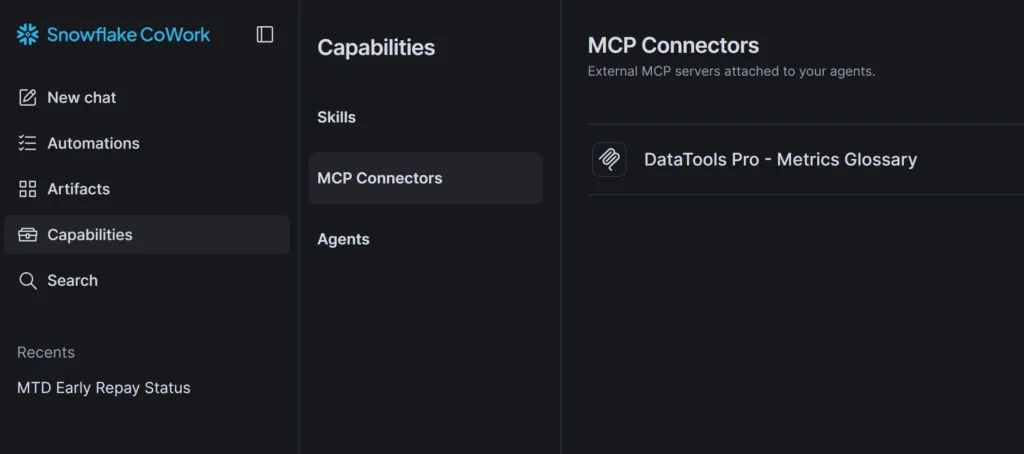
DataTools Pro latest metrics glossary features a brand new MCP architecture allows you to load your metrics and KPIs directly inside of Snowflake. DataTools Pro MCP in Snowflake requires your account admin to add the integration, define the external server and grant access to the roles that will call your metrics glossary.
Add an API Integration for MCP
CREATE API INTEGRATION datatools_pro_mcp_integration
  API_PROVIDER = external_mcp
  API_ALLOWED_PREFIXES = ('https://mcp.us1.datatoolspro.com')
  API_USER_AUTHENTICATION = (
    TYPE = OAUTH_DYNAMIC_CLIENT,
    OAUTH_RESOURCE_URL = 'https://mcp.us1.datatoolspro.com/mcp'
  )
  ENABLED = TRUE;
Create an External MCP Server
CREATE EXTERNAL MCP SERVER SFDC.PUBLIC.DATATOOLS_PRO_MCP
  WITH DISPLAY_NAME = 'DataTools Pro'
  URL = 'https://mcp.us1.datatoolspro.com/mcp'
  API_INTEGRATION = datatools_pro_mcp_integration;
Grant access to the Roles that need access
-- Grant access to Integration to CLAUDE role
GRANT USAGE ON INTEGRATION datatools_pro_mcp_integration TO ROLE CLAUDE;

-- Grant access to the external MCP server
GRANT USAGE ON EXTERNAL MCP SERVER SFDC.PUBLIC.DATATOOLS_PRO_MCP TO ROLE CLAUDE;
Authenticating your MCP
MCP integration to third party services is facilitated by Snowflake CoWork. Using the Cowork inteface you can authroize access to a third party MCP from within Snowflake. Each Snowflwake.